Steve (M0XVT), Alan (G1SQB) and I are pleased to announce that piLog v1.0 Beta 1 is now in test, and we expect a release version to be available soon.
piLog is a logging program for the amateur radio operator, designed to sit alongside piHPSDR-Improved and piSync.
FLRig is also supported so, whether you’re using a modern SDR with piHPSDR-Improved or a conventional transceiver that you’ve had for years, you can still use piLog for all your logging needs.
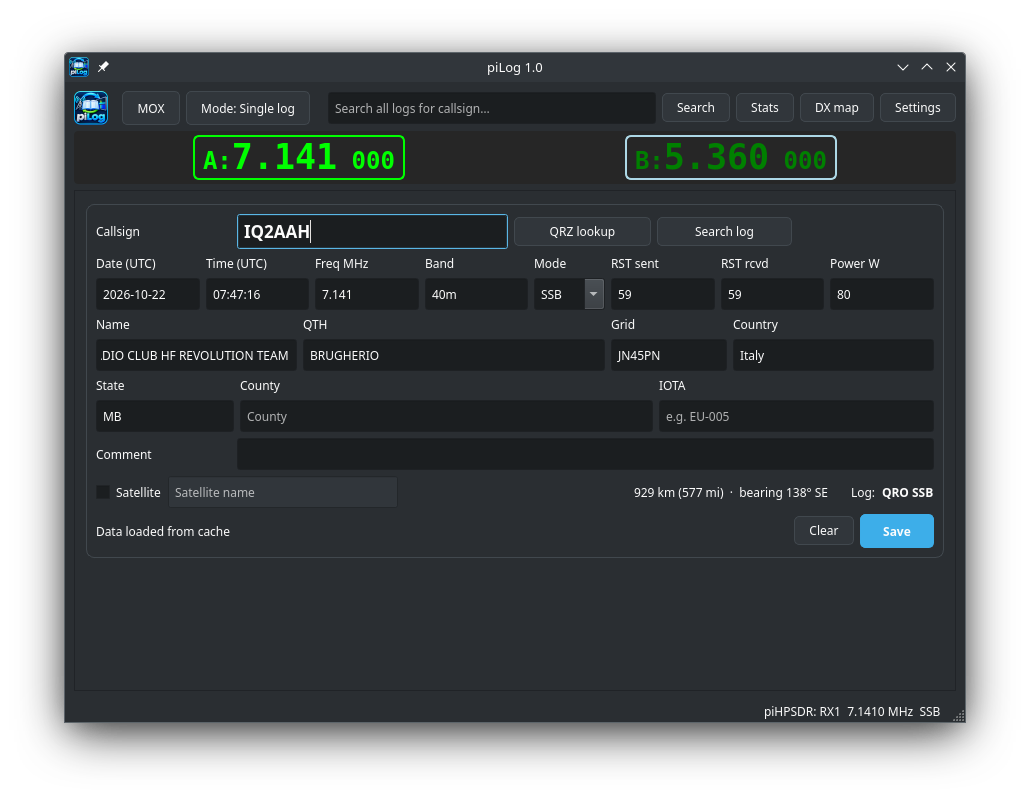
piLog can follow your radio’s frequency, operating mode, active VFO and PTT status directly from the radio or piHPSDR-Improved so, you don’t have to key the information in manually, making log entries quick and easy
Type a callsign and piLog looks it up on QRZ.com, filling in name, QTH, grid square, country and more. It also shows the distance and beam heading to the DX station.
Contacts are saved in standard ADIF files and uploaded automatically to your QRZ Logbook and eQSL. If you’re offline, the uploads are queued and retried later.
Beyond the basics, piLog suits both casual and busy operating:
Single and Net modes. Log one contact at a time, or keep several log entries open at once for nets and pile-ups. We believe this is a first in amateur radio logging and a feature that will be used by many people, especially if you regularly take part in on air nets like we do.
Automatic log sorting. QSOs are filed by mode and by QRP/QRO power category, with a separate file for satellite contacts. There is of course the option to store all QSOs in a single logfile.
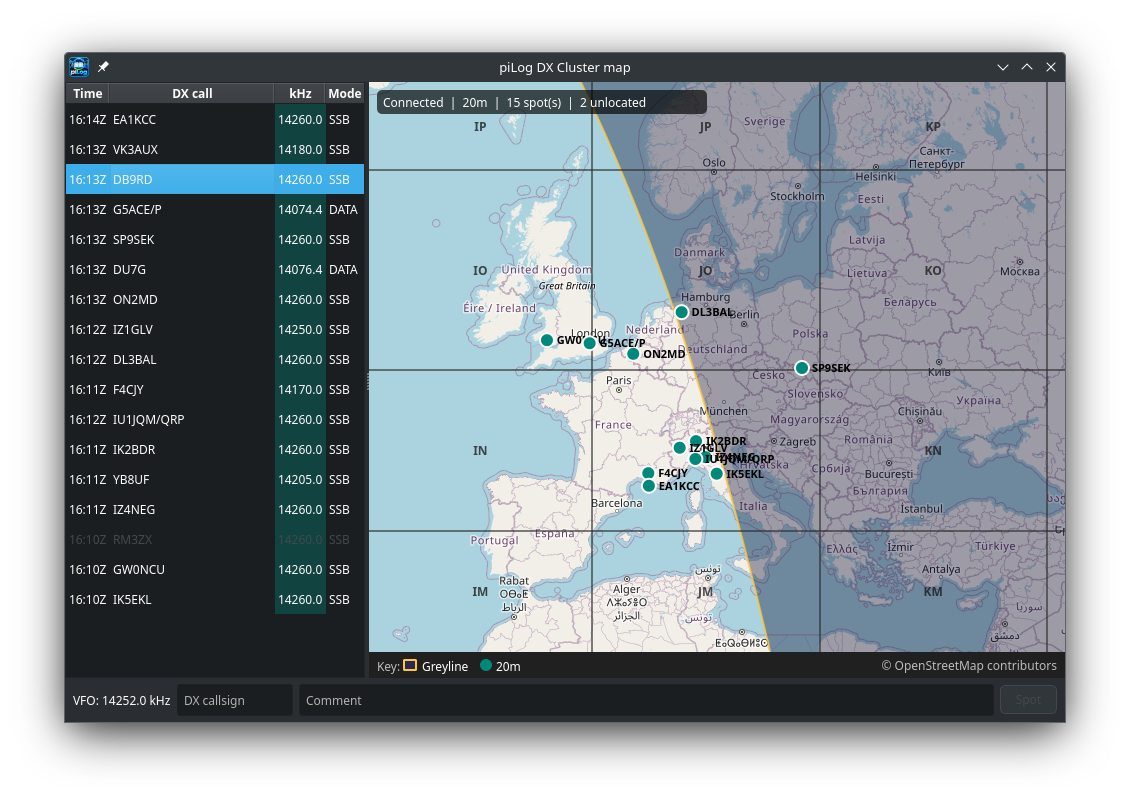
DX Cluster map. Live spots appear on a zoomable map, with greyline and Maidenhead grid overlays. Click a spot in the list or a map pin to load the callsign into piLog and tune your radio to the DX station in an instant. Want to post a spot on the DX Cluster? It’s as simple as entering a Callsign, comment and clicking the “Spot” button.
Statistics and log map. See your QSOs by mode, band and power, along with countries worked, distances covered and a map of every grid square contacted.
Search. Look up previous contacts with a station quickly and easily.
piLog is designed to run on RaspberryPi SBCs and Intel/AMD PCs running most Debian/Ubuntu based operating systems.
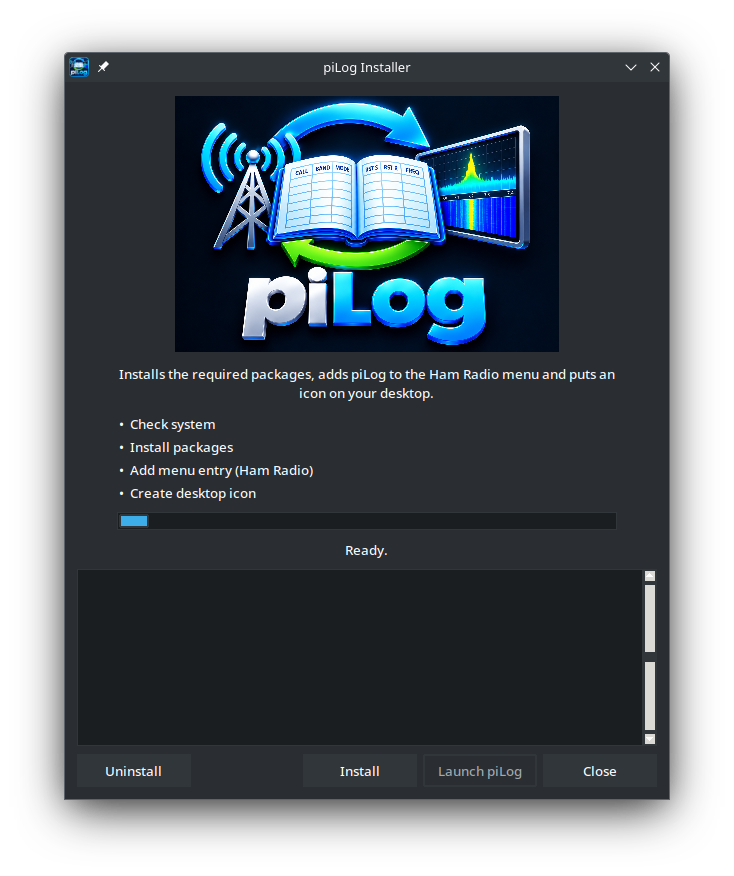
Of course we’ve created an easy to use installer for piLog, taking away all the frustrations of trying to install software from sites like github and the like. A simple double click and it’s installed, ready for use.
The aim is to keep the logger out of your way so, you spend less time typing and more time on the air, afterall that is what radio is all about.
Keep an eye here as we’ll hopefully be releasing piLog very soon.
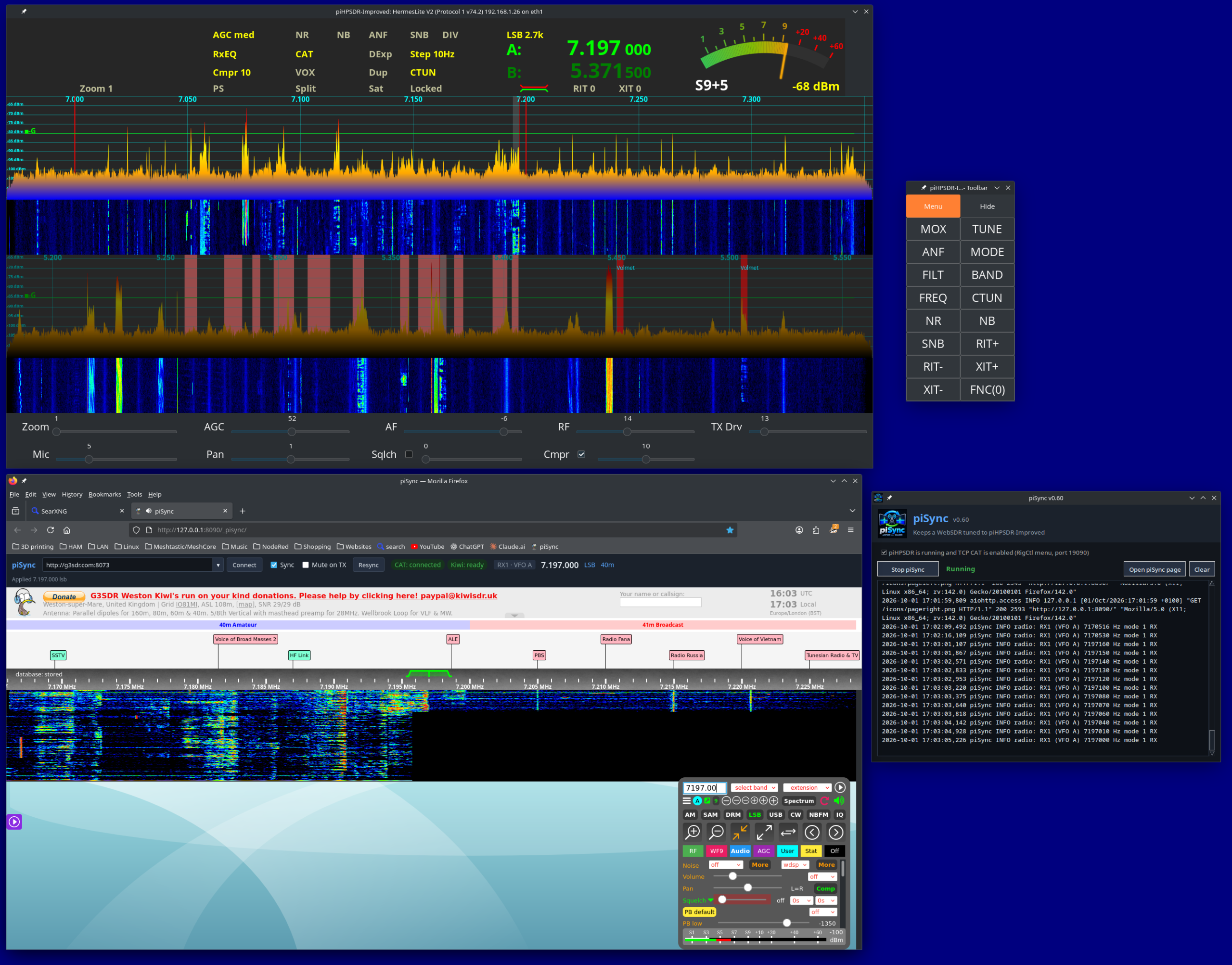
Steve (M0XVT), Alan (G1SQB) and I are pleased to announce piSync v0.9, bringing synchronised WebSDR access to Linux users running piHPSDR-Improved and now, a much wider range of transceivers through FLRig.
Windows users have enjoyed this kind of functionality through applications such as CatSync for some time. To the best of our knowledge, piSync may be the first Linux application to offer an equivalent solution for both piHPSDR-Improved and the huge range of transceivers supported by FLRig.
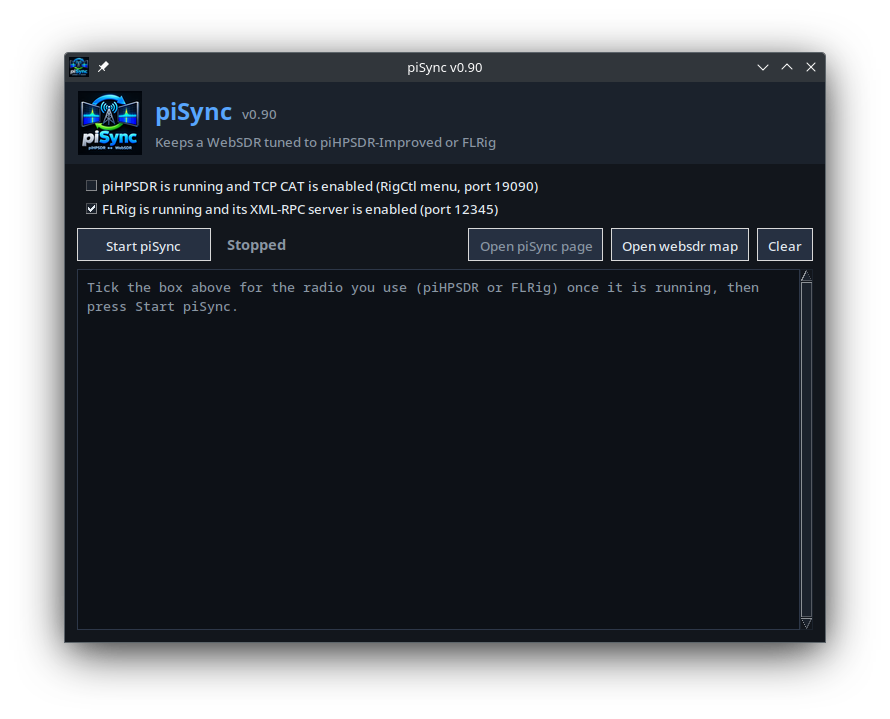
piSync v0.9 with FLRig support
Bringing New Life to Existing Radios
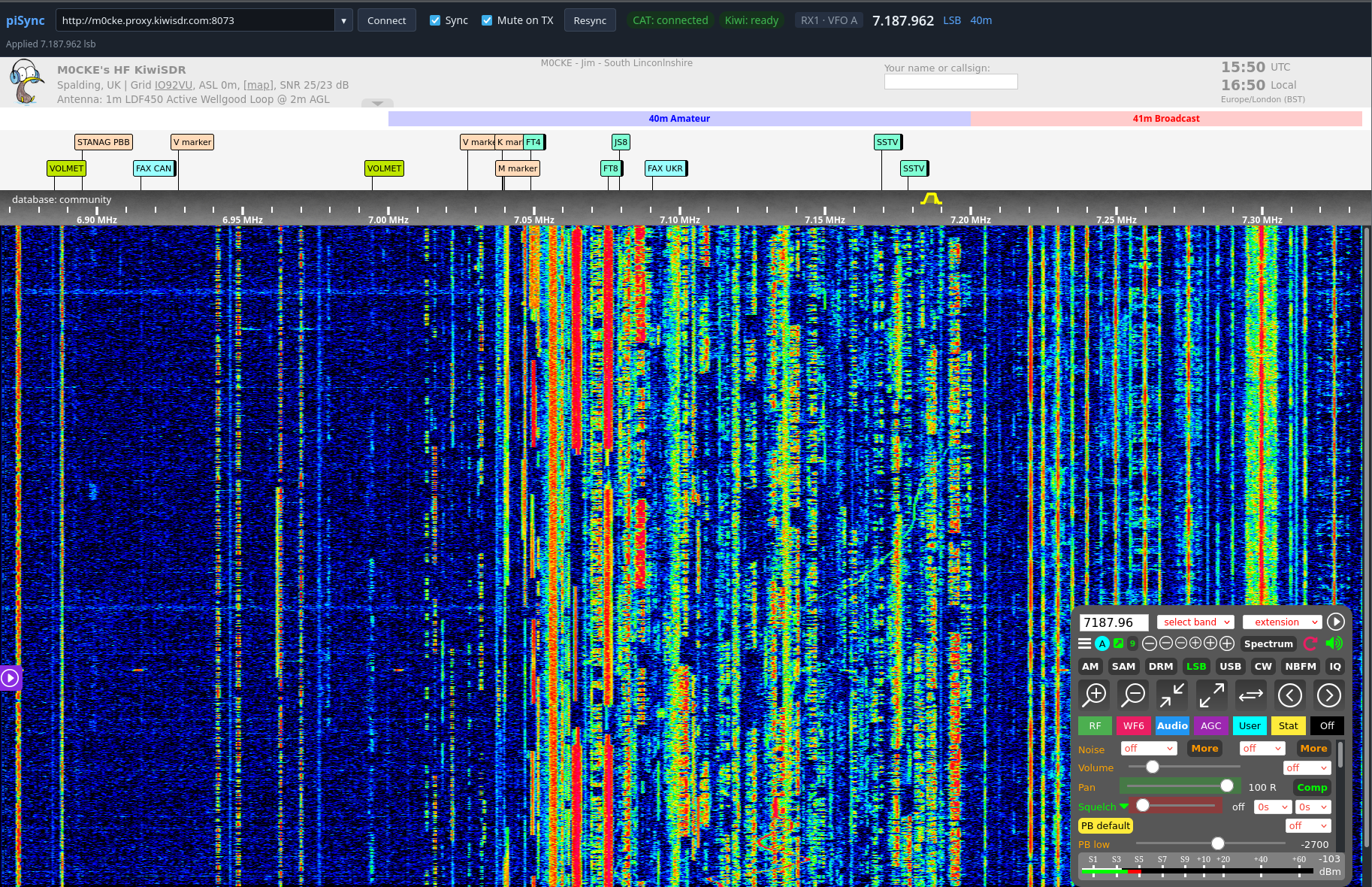
The addition of FLRig support is a significant step forward. piSync can follow your radio’s frequency, operating mode, active VFO and PTT status, allowing a compatible WebSDR receiver to follow you around the bands.
Whether you’re using a modern SDR or a conventional transceiver, piSync opens up new possibilities for exploring propagation and comparing signals received at different locations around the world — without replacing your existing radio.
What’s New in v0.9?
This release also introduces several improvements:
Persistent WebSDR list: Your receiver URLs are now saved on your PC and restored after restarting piSync, rather than being stored in your web browser.
WebSDR map: A new launcher button provides quick access to the WebSDR World Map.
piSync v0.9 – Synchronising WebSDR’s to your Radio.
Easy Installation for Linux Users
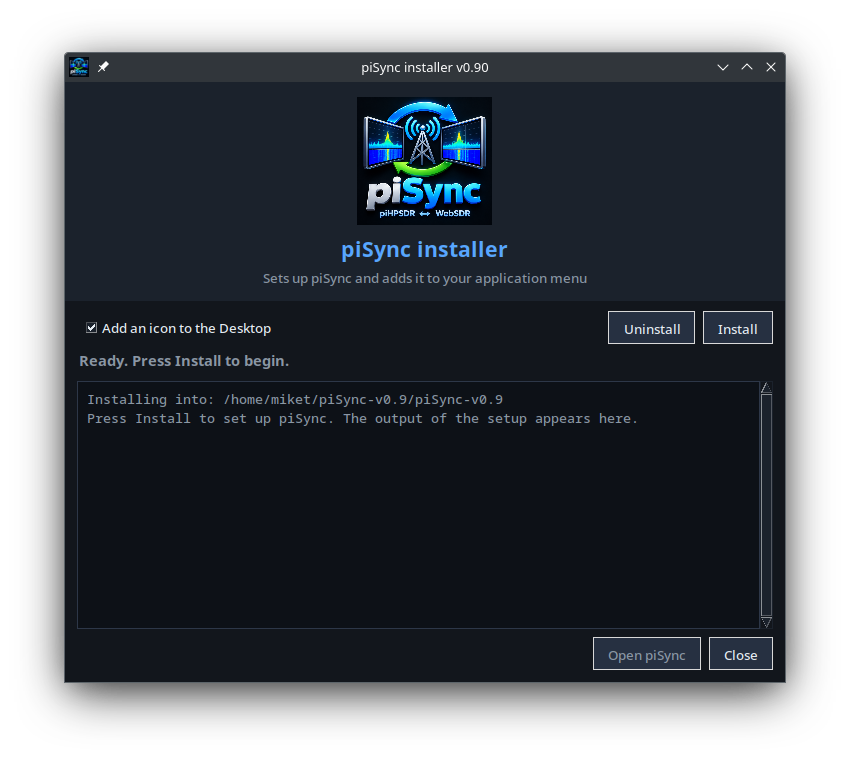
Getting started with piSync is easier than ever, thanks to its new GUI installer. Designed to simplify installation and setup, it makes piSync more accessible to everyone, including amateur radio operators making the move from Windows to Linux.
Alongside the GUI installer developed for piHPSDR-Improved, this is another step towards making Linux a practical and welcoming platform for amateur radio enthusiasts.
piSync GUI Installer – One Double Click and it’s ready to use.
We’ve Kicked the Tyres, So You Can Hit the Airwaves!
piSync has been tested on Raspberry Pi, Kubuntu (KDE Plasma), Linux Mint (Cinnamon), Debian 13 (Trixie) and Ubuntu. While we can’t test every Linux distribution, it should work on most Debian and Ubuntu based systems. We’ve done the testing so you can spend less time setting up and more time enjoying your radio!
Get piSync
If you’re a Linux-based amateur radio operator, whether using piHPSDR-Improved or a transceiver supported by FLRig, piSync is worth a look.
Synchronised WebSDR access, on Linux, using the radio you already own.
It’s been a busy week of software bug fixes and enhancements on piHPSDR-Improved and piSync.
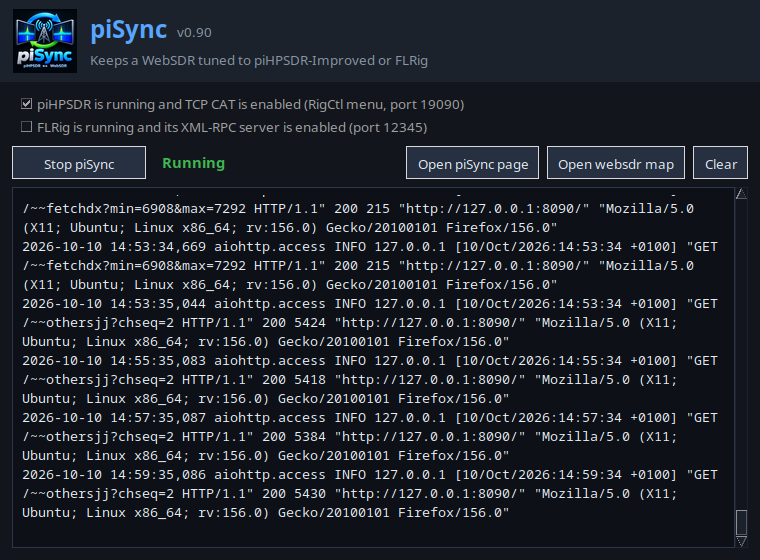
piSync v0.9 is currently in test after we added the support for FLRig. This extends the support for many transceivers new and old along side piHPSDR-Improved and makes it useful to HAMs who aren’t using SDR’s.
piSync v0.9 with FLRig support in test
piHPSDR-Improved has also had a lot of work done to it this week with a splurge of bug fixes and enhancements being made. We decided to bring the release forward as we can then concentrate on writing the new modules to bring even more functionality to the SDR solution.
piHPSDR-Improved v2.45 in Test
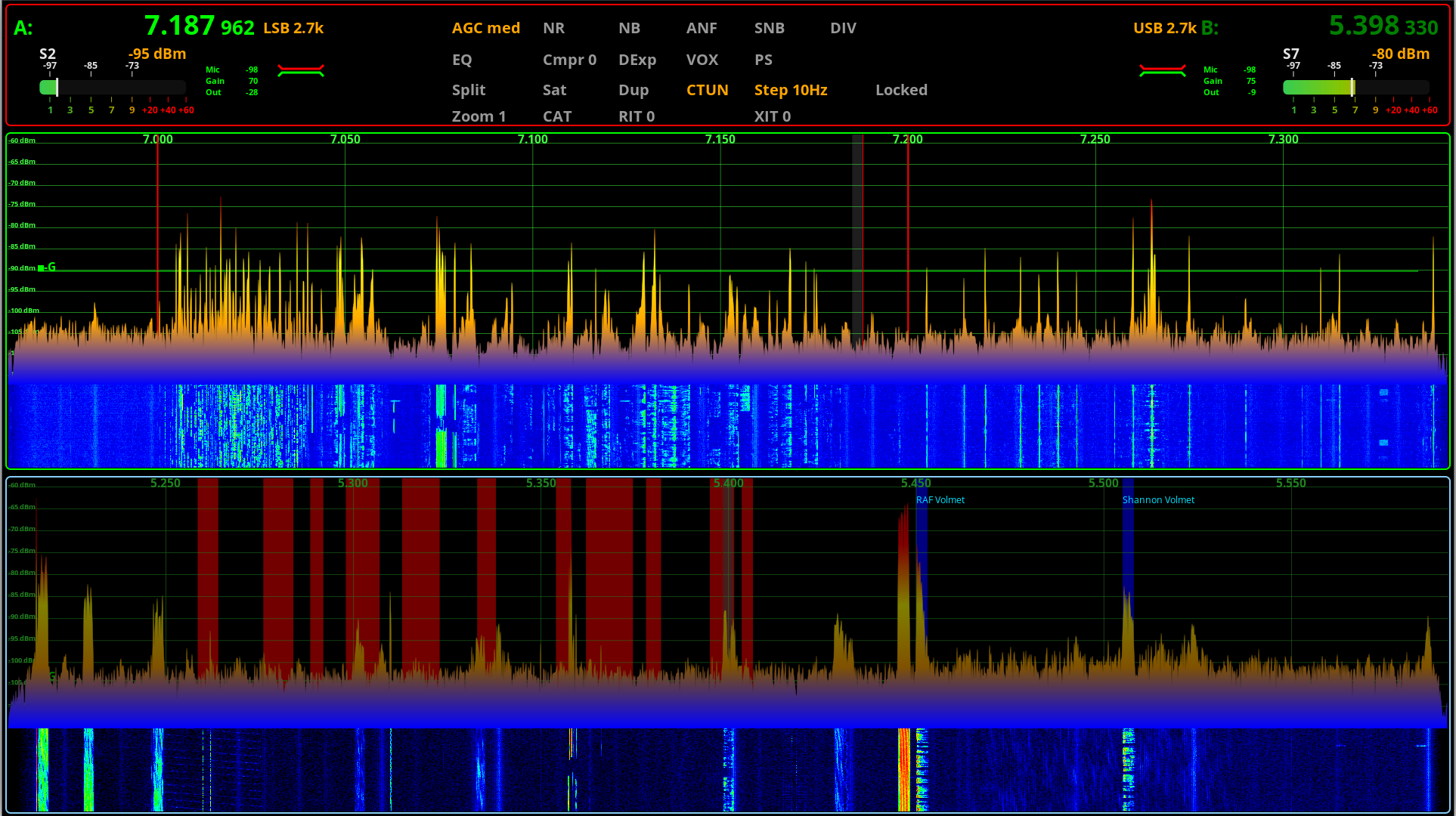
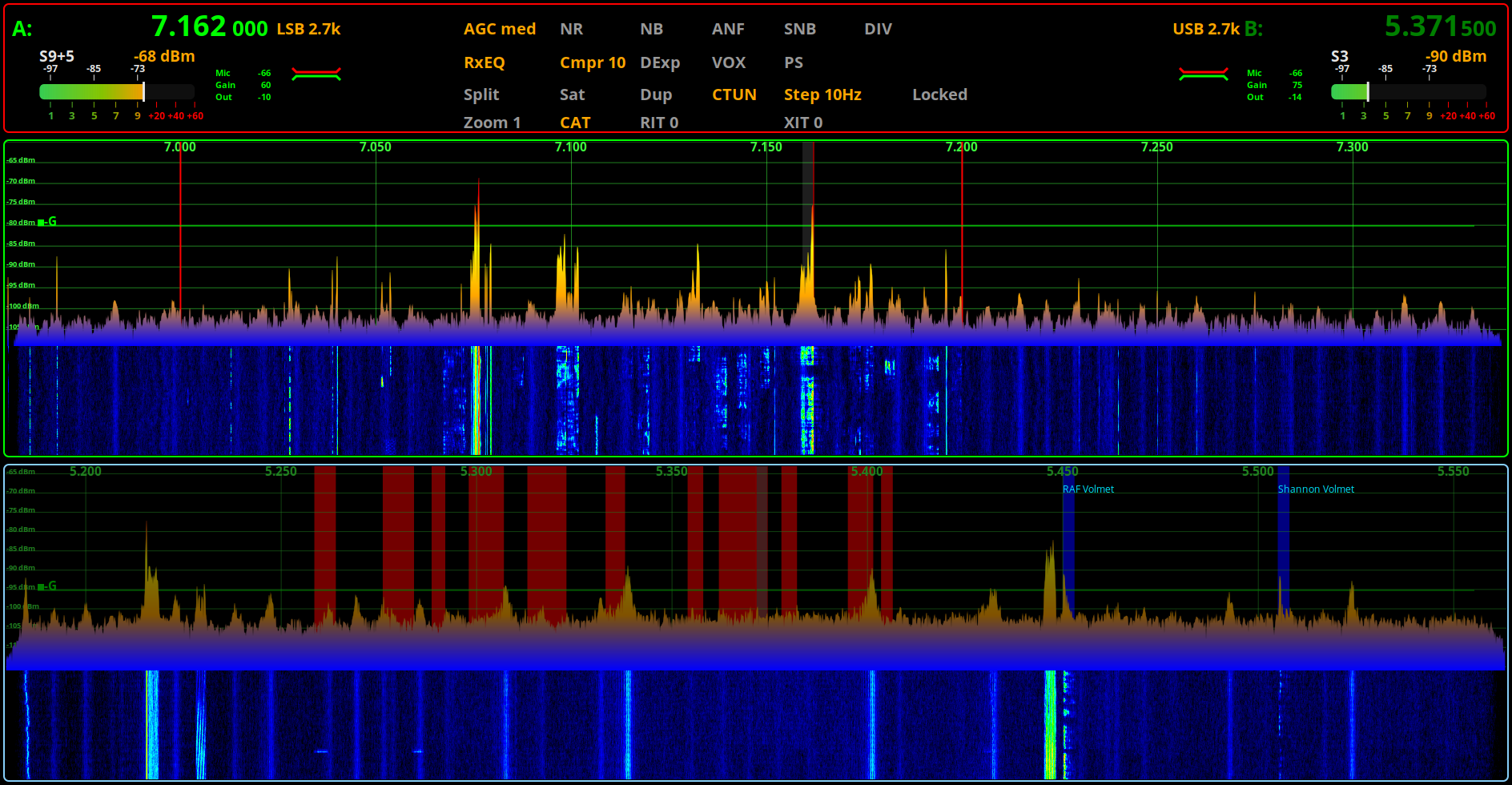
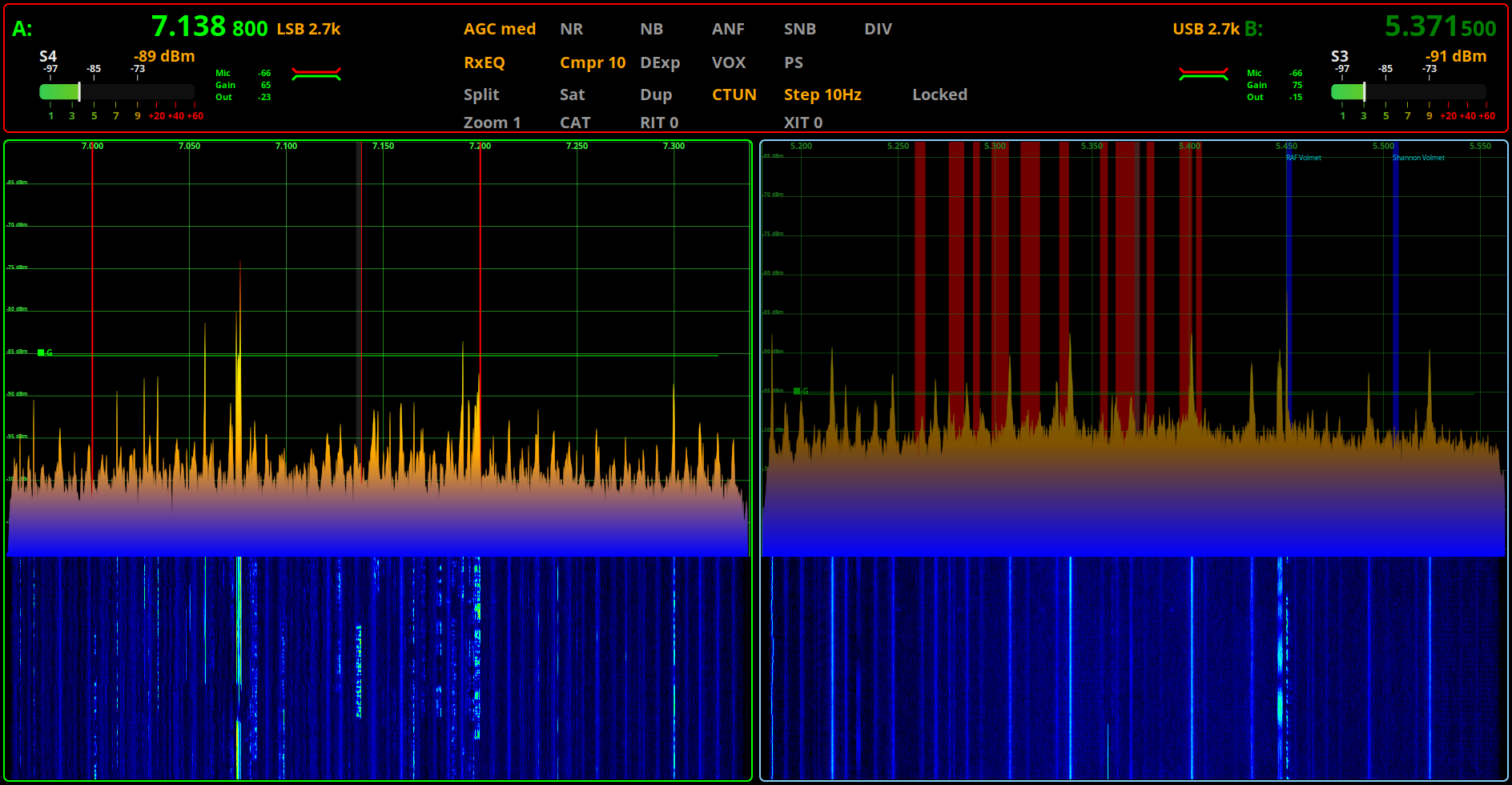
We’ve put some effort into tidying up the user interface in piHPSDR-Improved along with the new, second S Meter for VFOB. This is a really nice enhancement we’ve been wanting to do for some time but, haven’t had the time to devote to it until now.
piHPSDR-Improved v2.45 in test with Horizontally stacked RX
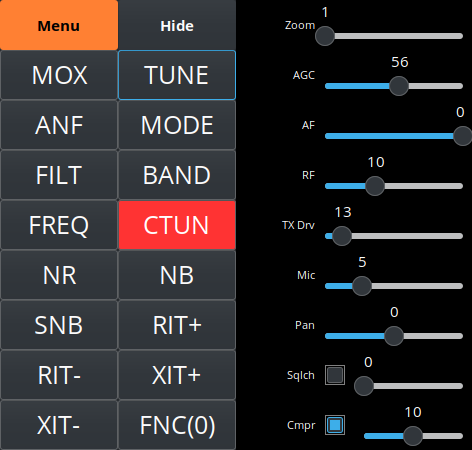
The floating toolbar has also had some upgrades and is not only looking good but, we’ve added new functionality to it as well.
piHPSDR-Improved v2.45 Floating Toolbar in Test
We’re hoping to release both of these updated software packages very soon once we’ve completed all our testing and are happy that’s it ready for release.
piHPSDR-Improved Logo from The Three Amigos Development Team
For some time now Steve (M0XVT), Alan (G1SQB) and I have been working on a version of piHPSDR to use with our Hermes Lite 2, Anan 200D, Adalm Pluto, Pluto+ and LibreSDR transceivers. The biggest problem we’ve had is the constantly changing code on github that often would stop the software from working on one device or more each time we updated and then we’d have to spend hours finding the issue and fixing it.
Eventually we got tired of this and decided to build our own stable version that doesn’t get anything from github and is made up of all the parts necessary to create a version that just works on the devices that we use on a daily basis.
Using piHPSDR on the QO-100 satellite and the HF bands across a number of very different types of hardware is a challenge in itself, especially when the devices use different protocols and only certain library sets work with certain firmware on some devices, the combinations get complicated to say the least.
To differentiate our build of piHPSDR from all the others available on the internet today we decided to call it piHPSDR-Improved.
So what is piHPSDR-Improved?
piHPSDR-Improved is a version of piHPSDR that has the fixes and enhancements in it that we’ve dreamt of having over the last couple of years. Some of the fixes are simple things like being able to detach the toolbar from the main window thus giving more space for the two panadapter/waterfall displays and have all the toolbar buttons on another screen in a floating toolbar. Other enhancements were more involved and addressed some of the most annoying issues like none of the settings for VFOB (RX2) were saved and so, every time you started the program you had to setup the RX2 all over again from scratch. These sound like simple fixes but, believe me, they’re not.
Another thing we wanted to do was make piHPSDR-Improved easy to install. Many Windows users transitioning from Windows to Linux often regret it the moment they have to use the Linux command line to install piHPSDR.
We’ve committed to having GUI installers for all the applications that we develop and release, regardless of how much extra work this entails.
It’s time installing software on Linux desktop PCs was as easy as it has been on Windows PCs for decades.
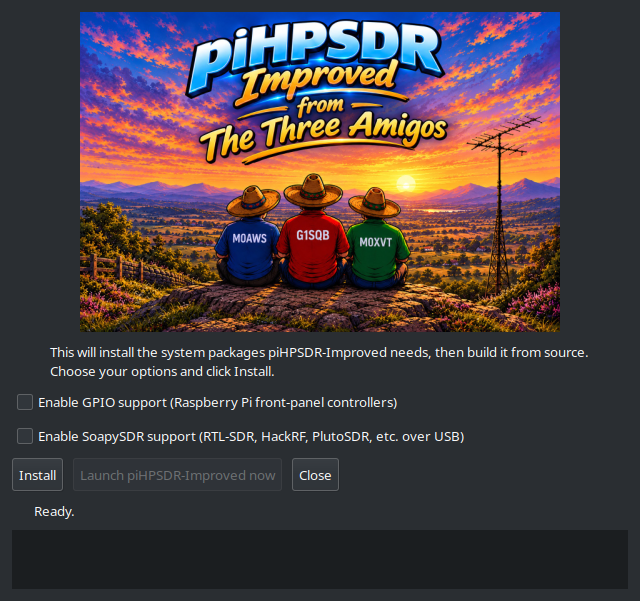
piHPSDR-Improved GUI Installer
We’ve taken a modular approach to building piHPSDR-improved. Rather than putting everything into the one application, we’re going to be releasing add on modules that will bring new functionality over time. This way we can build on a structured, stable base keeping everything operational all of the time.
The first module we’re releasing is piSync and we’ve included it in the zip file that you’ll download to install piHPSDR-Improved.
piSync Logo
piSync adds functionality to piHPSDR-Improved that Windows Thetis users have had for a long time, namely the ability to use an online WebSDR along side their own SDR transceiver and have it track the frequency, band and mode automatically. This functionality has proven to be incredibly useful when you are struggling to hear a weak DX or QRP station.
With piSync you can now use an online WebSDR receiver closer to the DX station to aid getting that QSO in the log. It’s like having another receiver in your radio that is located anywhere in the world, for free!
We believe this is a first for the Linux platform and we’re really pleased to be able to share it with the Linux community.
We’ve had great fun with piSync during testing and we think you’re all going to find it extremely useful too.
We’re also planning on adding support for FLRig in the next version of piSync so that you’ll be able to use a WebSDR with any transceiver that is supported by FLRig.
Of course it goes without saying, all of our software is Opensource. When you download and install piHPSDR-Improved or any of the new modules you will get the full source code every time and be free to do whatever you like with it. Every module will also have it’s own GUI installer, no more command line, just double click and go.
Both piHPSDR-Improved and piSync have been tested on RaspberryPi 5/500+, Linuxmint Cinnamon, Kubuntu, Debian 12 (Bookworm) and Debian 13 (Trixie) so, we’re pretty confident it’ll work on most Debian/Ubuntu based Linux distro’s on Intel/AMD PCs and the current versions of the RaspberryPi SBCs.
piHPSDR-Improved, piSync and a WebSDR running on a pi 500+
Inside the zip file you’ll find a file called README.1st, do make sure you read this before installing any of the software as it contains some important information that’ll make installation as easy as possible.
To download both piHPSDR-Improved and piSync in an easy to use zip file, just click the Download button below.
Note: A newer version of piHPSDR-Improved is available here and a newer version of piSync is available here.
We’ve got lots of ideas for new features, modules and bug fixes (Yes there are still some bugs in there!) which we will be releasing over time. Don’t expect this to happen overnight as Steve still works full time and Alan and I are both enjoying our retirement.
This is just another facet of our hobby and we don’t like to rush things. We do like to use our radios on air, pretty much daily and so we do this software development in between all the other fun things that Amateur Radio has to offer.
To be clear and open we do use Claude Code to help with development. I go through as much of the code as I can without spending days and days just reading code. I am retired after all and have spent enough of my life professionally writing and debugging both my own code and other people’s code. We do a lot of testing on a good number of Linux distros before we even consider releasing the software to the wider world and use it on air as part of the testing process, so we’ve done as much as we can to ensure we’ve not introduced new bugs to the software. Keep in mind we do this as part of our Amateur Radio hobby and so, it needs to be fun and enjoyable.
We hope you enjoy using the software and find it useful. If you’ve got ideas for new things you’d like to see in future versions then please feel free to contact any of us via our contact details on QRZ.
UPDATE: We’ve fixed a little bug in piSync and released an updated version. You can download it from this article.
I had a fun day on the radio yesterday. It started with the Matrix QO-100 Satellite Impromptu Net at 16:00 BST on 10489.873Mhz. A net that started off as an impromptu event that over the last couple of years has become a weekly staple. Hardly impromptu at all but, we liked the name and so stuck with it.
During the Impromptu net I noticed that my 2m radio was burbling away in the background and that a lot of European repeaters were coming through so, as soon as the net had finished I quickly switched over to my trusty Wouxun KG-UV980PL and started tuning around the 2m band.
2m was alive with repeaters from France, Belgium, The Netherlands and the UK, often beating against each other on the same frequency.
Being near the East Coast and closer to Belgium than I am to many parts of the UK I jumped onto the ON0WV repeater in Bruges. Being S9+ with me I called a few times but, no one came back to me so, I moved on.
Tuning across my Norwich Repeater memory slot I heard two French stations chatting, it was obvious they weren’t on GB3NB as the bell between overs was not the normal chime.
I quickly opened RepeaterBook on my iPhone and searched for repeaters on the same frequency, there are many!
Eventually I worked out that it was ON0HT so I quickly set about loading the repeater settings into the next available radio memory channel. I loaded a few others from The Netherlands at the same time as I was hearing more than normal from that part of the world.
2 French Operators on the ON0HT repeater in Belgium close to the French border.
Having the correct settings in place for the repeater I was now able to call in and have chat with the two stations.
Jean-Claude F5JOX and Didier F6DKO were surprised to hear an English station call in but, were most welcoming. We had a chat for a few minutes exchanging details and commenting on the great conditions. Sadly the conversation was eventually brought to an end as there were so many repeaters on the same frequency it became impossible for me to hear them clearly so, I gave them 73 and went tuning around.
The 2m band was absolutely full of UK and EU repeaters with many beating against each other on the same frequency. Wouldn’t it be nice if there was more of a split between the UK repeater frequencies and the EU allocation. Would certainly make it easier to use the EU repeaters in lift conditions.
Later in the evening Roger G8VLR, Steve M0XVT and I were having one of our Impromptu Nets on the 60m band. Often there are others from the Matrix that join in too but, on this occasion there were just the 3 of us.
I’m acutely aware that we often have listeners to our on air chats as I quite often get emails from SWL’s and licenced HAMs commenting on how much they enjoy our conversations. Yesterday evening was no exception as it turns out that we were once again attracting listeners albeit, unbeknown to us at the time.
Later in the evening Alan, G1SQB sent me a message via the Matrix with a YouTube link to a recording of us on the 60m band from that very same evening made by @KevinOReillyswl.
Yes, that’s yours truly waffling on about satellites as normal.
Kevin O’Reilly is clearly a very active SWL as he has many interesting videos on his Youtube Channel that are worth a look.
I must confess that I’ve never heard of the MLITE-880 receiver before but, after running a search I found it to be quite a popular radio in the SWL community.
There’s a very good review on swling.com that’s worth a read.
The short video above shows it to be a surprisingly good shortwave receiver in a very compact, portable package that’s ideal for listening whilst out and about on camping trips or other outdoor activities.
A big thanks to Kevin O’Reilly for posting the video and letting us see how we sound on the other end.
More soon …
We use cookies to ensure that we give you the best experience on our website. If you continue to use this site we will assume that you are happy with it.