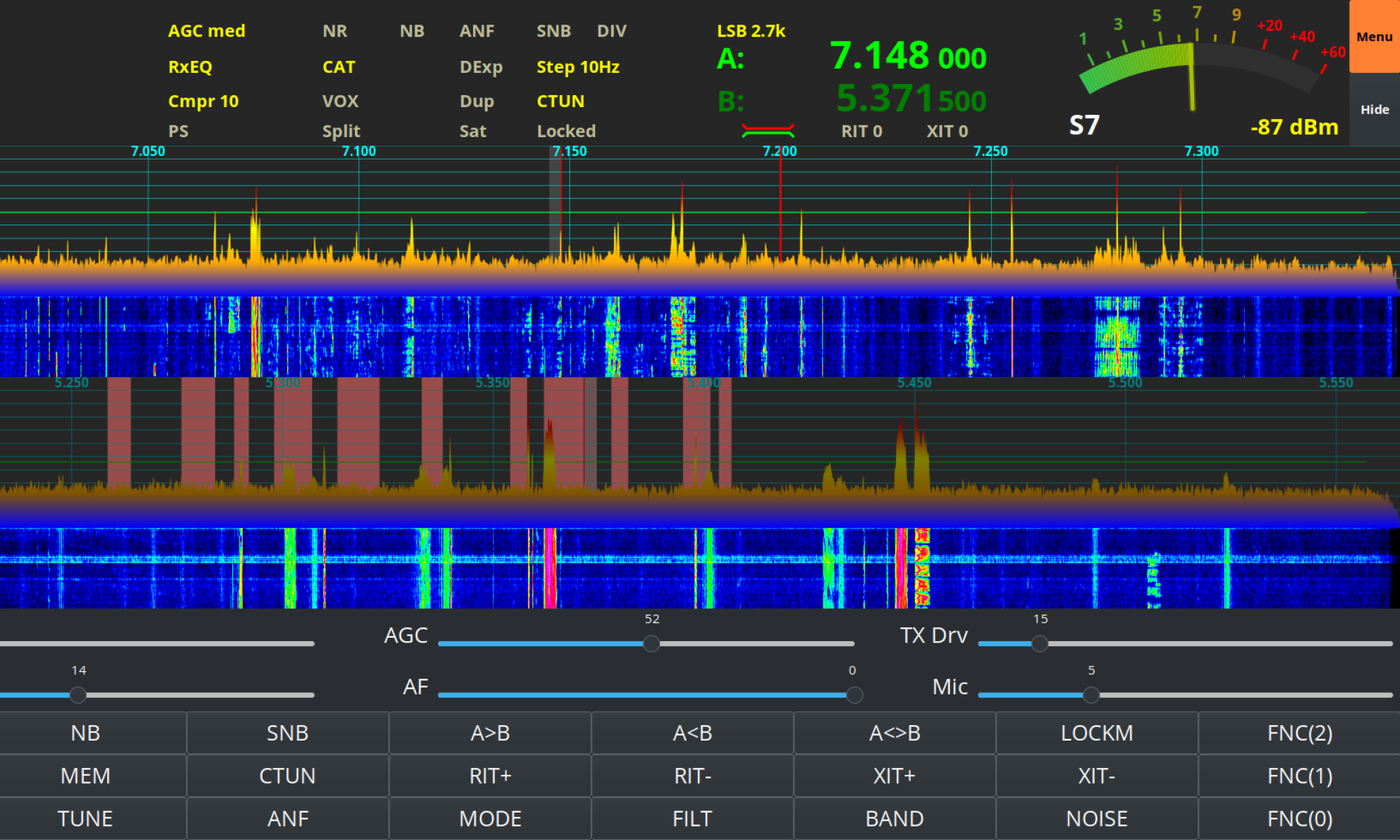
I often get unsolicited good audio reports whilst using my Hermes Lite 2 (HL2) on the HF bands with people asking what settings I am using so, I thought it was time I put together an article on the subject.
I use the DL1YCF enhanced fork of PiHPSDR to drive my HL2, a great OpenSource SDR software package that supports many SDR radios including some very high end, expensive models.
PiHPSDR is extremely configurable via it’s well laid out menu system. It’s possible to change the settings on almost everything which, when combined with really good hardware like the HL2 gives the operator the ability to create an extremely high spec transceiver at a fraction of the price of the typical black box commercial offerings.
Starting at the beginning of the transmit audio chain the first settings to be changed are in the Transmit (TX) menu.
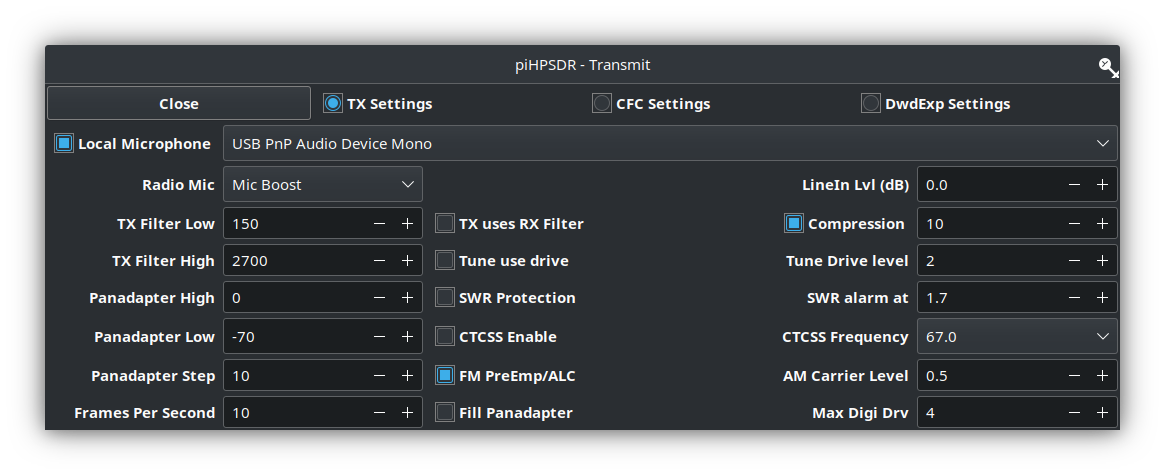
Using my Sennheiser headset I found I needed to set the Radio Mic setting to Mic Boost. This increases the audio level so that it drives the radio properly. It’s important to make sure that boosting the audio doesn’t cause distortion though.
Next I set the TX Filter Low to 150Hz. This ensures I don’t have that nasty bass sound that you hear often on the HF bands today.
The TX Filter High is set to 2700Hz. This gives me a transmit filter width of 2550Hz which is well within the 2700Hz standard for the HF bands.
I also set the compression level to +10dB to increase the average talk power of the audio.
Next in the transmit audio chain is the TX Equalisation. The PiHPSDR software has a very good software defined Parametric EQ menu that provides all the audio tailoring capabilities any HAM operator will ever need.
Having watched many videos by the great Bob Heil, K9EID (SK) I understand that all the articulation in the voice is around the 2500hz range. Today on the HF bands you often hear bass heavy audio that sounds muddy and horrible. This is exactly the type of audio I don’t want to have so, to this end I have adjusted my EQ settings such that the articulation is accentuated to increase clarity and give a little pep to my rather dull sounding voice.
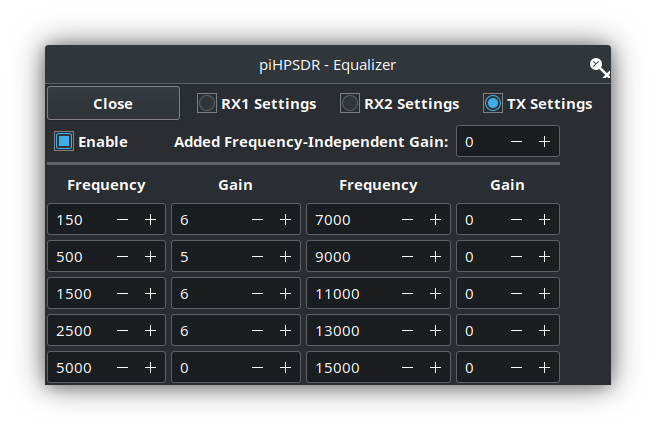
Since the transmit filter width is set from 150Hz to 2700Hz there’s really no point in making EQ adjustments outside of this range. As show above I have made the following changes to the transmit EQ settings in PiHPSDR:
| Frequency | Gain |
| 150hz | +6dB |
| 500Hz | +5dB |
| 1500Hz | +6dB |
| 2500Hz | +6dB |
The final part of the audio setup is the Mic Gain, I keep this set at 5. This keeps the audio nice and tidy with no IMD.
My HL2 TX Drive is set so that it puts out a maximum of 500mW, this is enough to drive my Xiegu XPA125B amplifier to 100W.
With these settings I find that the Sennheiser headset, PiHPSDR software and the Hermes Lite 2 combination gives me a great signal on all the HF bands.
I hope this helps all those who have asked how my audio is setup and have been so impressed by this great little radio.
More soon …