I’ve been working on squashing some bugs in my Node-RED AllStarLink Control Dashboard with the help of Steve, M0XVT which has resulted in a new version of the flow now being available for download below.
If you’re reading this and aren’t too sure what it is all about then, have a look at my original article detailing the Node-RED AllStarLink Control Dashboard that I developed and wrote about back in September 2024 and hopefully it’ll all make sense.
This new version of the flow resolves an issue whereby the dashboard used an incorrect node number for the node it connects to resulting in it not working unless a piece of code was changed. The update was a simple change to add a couple of nodes that connect to the RaspberryPi and read the Asterisk/AllStarLink node number from the asterisk configuration files at startup.

I also fixed another bug whereby the buttons could show a false connect on a button when the user connects to another node via AllMon2/Supermon instead.
This flow no longer has the blue spare button as it now connects to a node in Melbourne Australia.
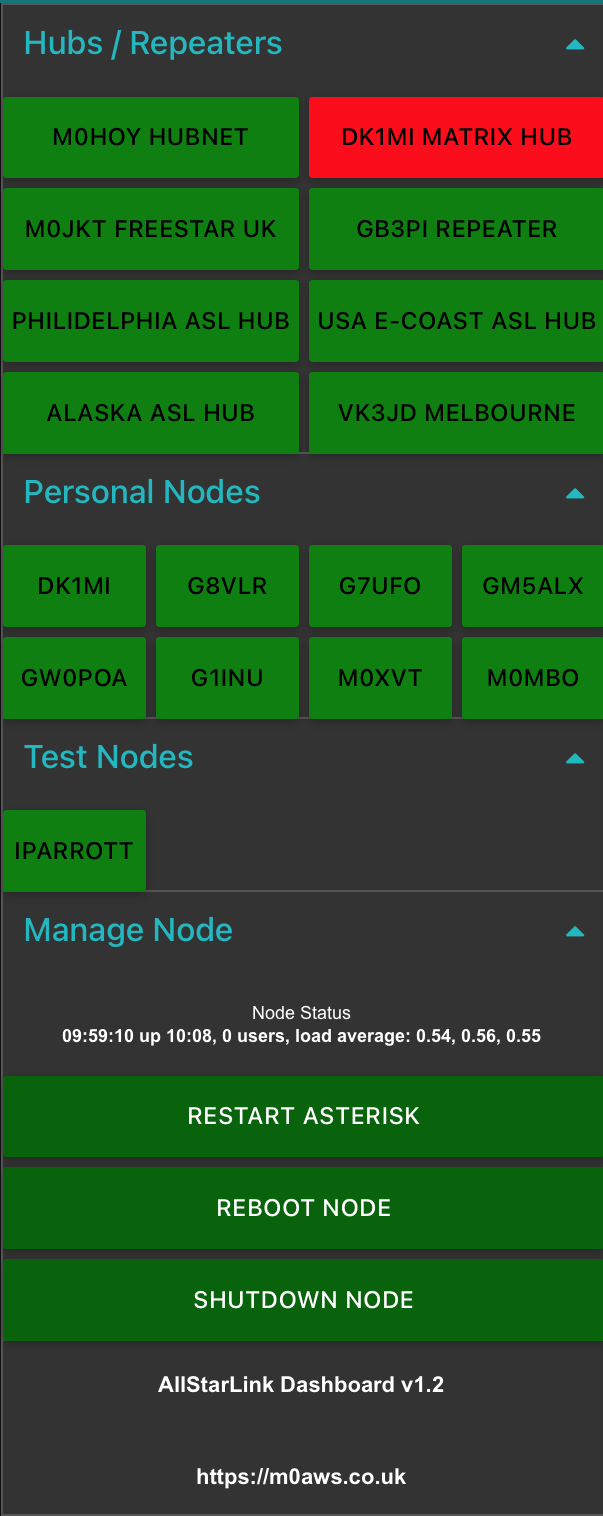
You can download the new, v1.2 updated flow below and import it to your Node-RED flow editor using the standard import tool from the burger menu in the flow editor.
Huge thank you to Steve, M0XVT for his patience and testing skills during the debugging and testing of the fixes to the flow.
More soon …
2 Replies to “AllStarLink Control Dashboard v1.2 update”
Comments are closed.