Social Media – Sucking the life out of our devices

Let me be up front from the outset, this isn’t a HAM Radio related article but, something that probably affects 99% of people today.

I’ve recently given up using social media. Like many of you reading this I had Instagram, Facebook, Twitter etc etc installed and active on all of my devices. Throughout the day and night my iPhone and iPad would be constantly notifying me of posts in the HAM Radio/Motorcycle/Adventure groups I was linked into, or that Jonny/Karen had posted something that I may be interested in, even though 99.99% of the time I wasn’t interested at all.

Even switching off notifications these apps still found ways to continually pester me, so annoying!

Then there was the toxicity, I was genuinely shocked at the constant barrage of hate and anger in the HAM Radio groups. If someone posted something about a radio/antenna/device and others disagreed there was this immediate attack and following argument that went on for days. These nearly always ended up with personal insults and hatred, whatever happened to respecting others opinions?

The HAM Radio groups weren’t the only ones either, the motorcycle groups were just as bad as were the adventure groups, social media really does bring out the worst in people.

Would we all really speak to each other in the same manner face-to-face? I doubt it!

So I deleted all my social media accounts and deleted the apps from all my devices and this is where something very positive happened.

Apart from the fact that my devices were no longer hounding me 24hrs a day, the batteries in my devices were lasting considerably longer.

With the social media apps installed my iPhone battery would barely last a day however, after deleting the apps I was amazed to find that after the next full charge my iPhone battery now lasted 2.5 days without a charge!

Even though I had my iPhone set not to allow the social media apps to update in the background and switched off notifications they were still consuming massive amounts of energy from the battery of the device even when the apps had been closed and were not being used.

Clearly the social media apps are busy skimming data in the background constantly collecting GPS information, movement, app usage etc etc building up a profile for targeted advertising. This data skimming is using considerable amounts of energy from the battery and it has to be questioned if this is reducing the life of device batteries overall.

I found the same on my iPad Pro too, battery life is now considerably longer, not quite as long as my iPhone but, it too is now lasting two days on a single charge even though I use it daily.

So, apart from no longer being exposed to the toxicity of social media, my device batteries are now lasting some 2 to 2.5 times longer allowing me to consume the content that interests me for longer rather than the batteries being discharged by the constant, silent collection of data for social media companies to sell on to advertisers.

If you are an avid social media user then perhaps now is a good time to consider deleting the apps from your devices and instead start using the website interface for each platform, this way you can still get your daily fix of targeted adverts but, without the constant drain on your battery.

Normal content will resume soon …..
All night DX fest!

Having just completed building my new radio shack I thought what better way to break it in than to do an all night radio session chasing the DX.

All nighters aren’t anything new for me, I did many an all night session low band DXing when we lived in France (F5VKM). Back then I had a massive cellar, part of which was a very well fitted out radio shack. With some very large antennas in our field out back I was truly spoilt with some great times on the 160m band in the dark winter months.

Now back in the UK and only just getting back into the hobby after a long break things are somewhat different. I now only have a typical small UK garden and only vertical antennas. Better than no antennas though!

The new radio shack is small compared to my super spacious setup in France but, it’s perfectly formed with all facilities.

For my over night radio session I decided to use my trusty Yaesu FTDX10, it has the best receiver I’ve ever used and is built to withstand the long haul operation.

Antenna wise I decided to use my 30m band EFHW vertical that can be tuned on most bands from 80m and upwards. I use a CG3000 remote auto tuner to match this antenna to the 50 ohm coax feed and it does a great job.

Being comfortably setup in the shack I tuned up on the 30m band and had a listen to see what shape the band was in.

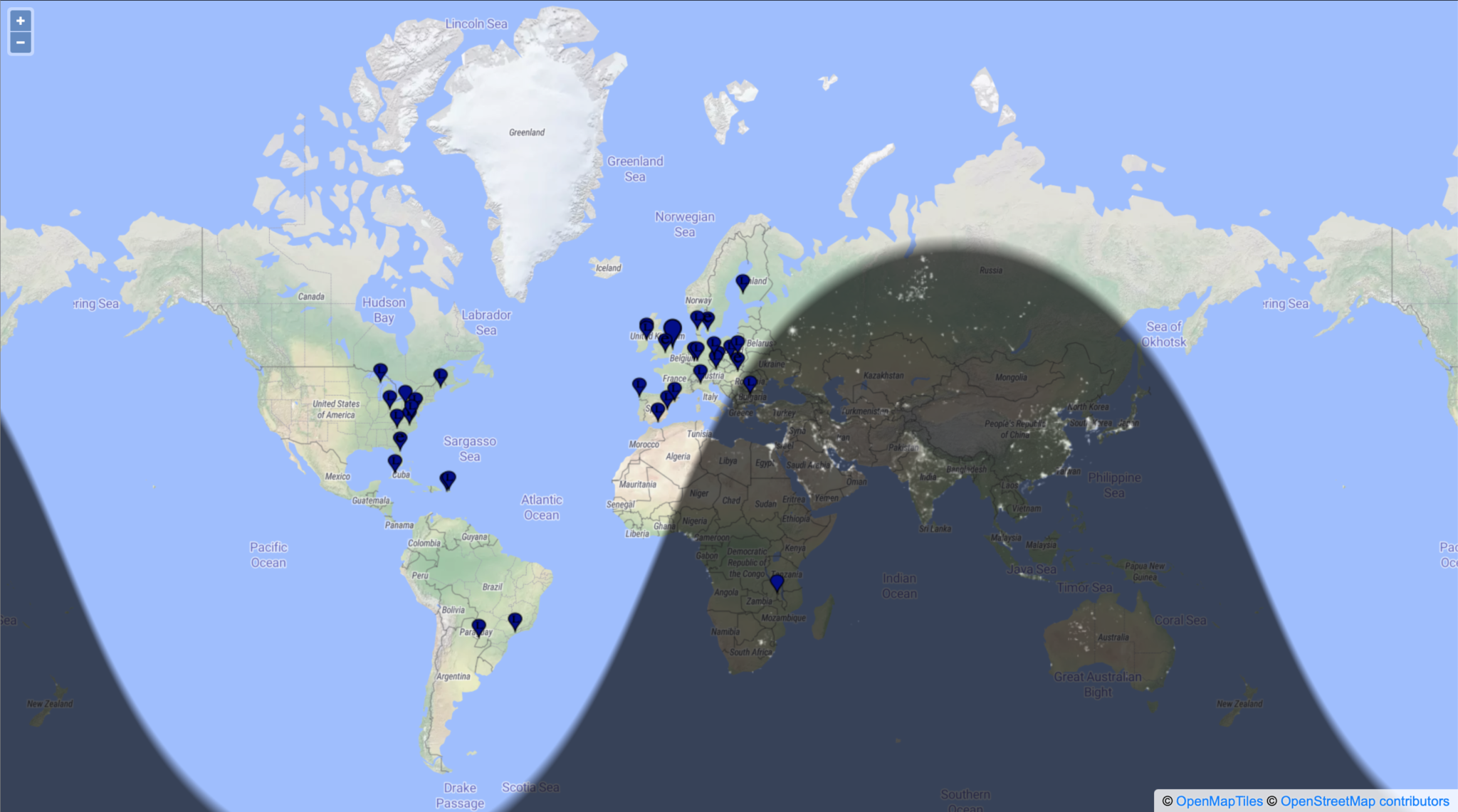
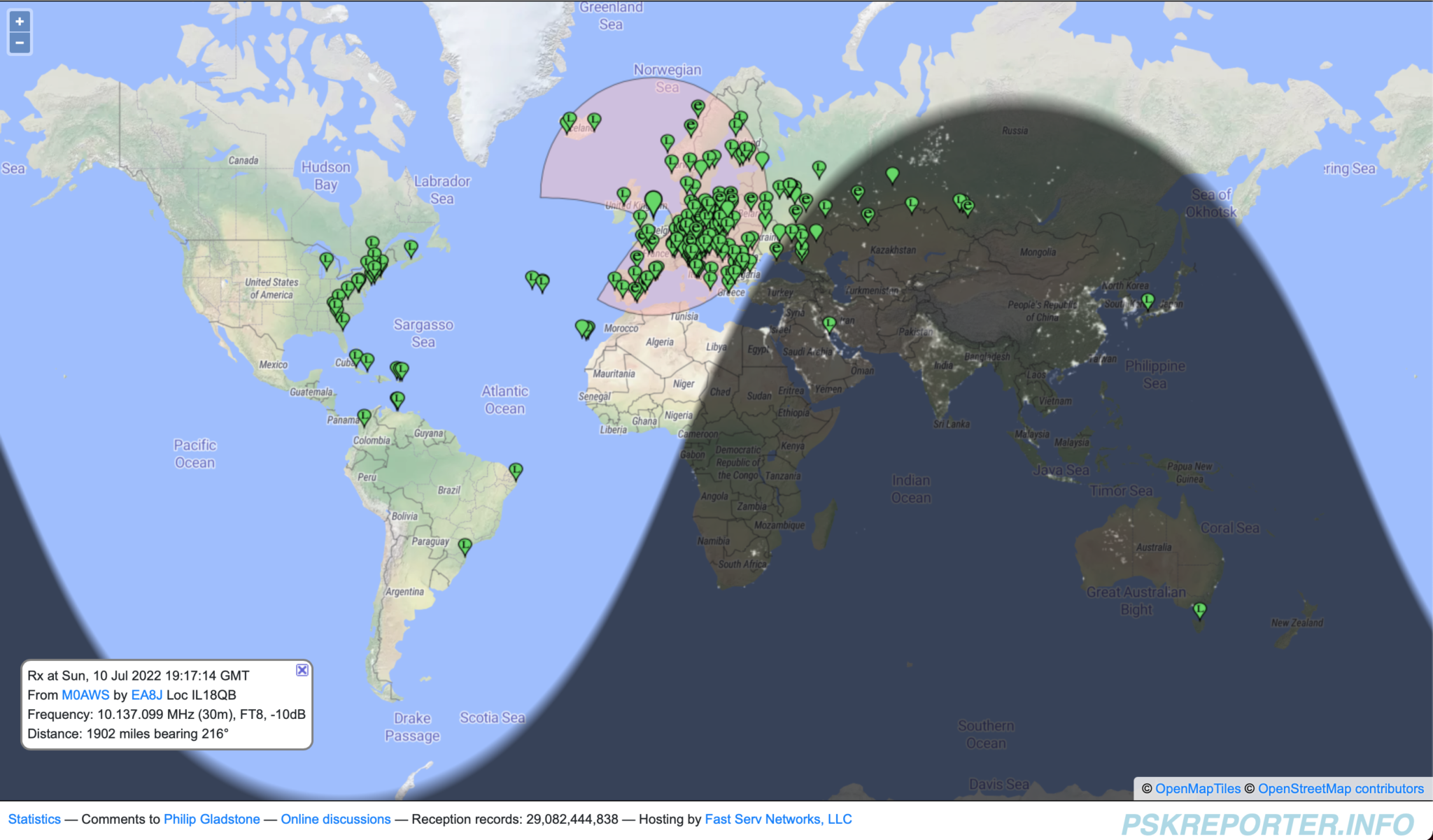
Stations heard on 30m 10/11-07-22

Using FT8 I worked a bunch of European, Russian/Asiatic Russian stations with ease, the band was in fairly good shape albeit localised around Europe and Russia. Wanting to work stations a little further afield I decided to move up on to the higher bands. 12m is a band I really like but, always seem to miss when it’s open.

Tuning up on the 12m band using the same vertical that I was just using on the 30m band the FT8 section was packed with signals. At last, I’ve tuned up on the band when it’s open!

I suddenly noticed Bobby, VP8ADR down in the Falkland Islands in the WSJTX waterfall and gave him a call. He had a fair few people calling him and so I joined the list. In no time at all Bobby answered my call and we exchange SNR reports of -8dB both ways. This was surprising as later on one of the FT8 Facebook groups Bobby stated he was using 200w into a Hexbeam during our QSO, I was only using a measly 18w into my Vertical, I would had expected a much lower SNR report. Clearly Bobby’s setup was doing all the work!

Right after the QSO with Bobby I immediately went on to work PY7ZC, LU8YD, PY2ATI, LW6EQC, PY2EBD and PY2THO all in quick succession. With the Falklands, Brazil and Argentina in the log so soon it was looking like it was going to be a fun packed night.

Next up on the waterfall was 9Y4DG in Trinidad and Tobago and 8P6ET in Barbados, two really nice locations to get into the log and new ones on 12m for me.

Having worked all the DX I could hear on 12m and not wanting to just spend hours working endless European stations I tuned down onto the 17m band using the same vertical antenna. This antenna really does work well on bands it’s not designed for.

First 3 stations in the log on 17m were all from Japan, JR3NZC, JQ6RUP and JA5BDZ. With all 3 stations being well on the way to 6000 miles away this was a good start. The propagation strangely swung to the west and I got YV5DRN from Venezuela in the log.

Not seeing any other stations that I wanted to work I retuned back onto 30m again and found it was open to South America and the Caribbean.

In no time at all I had YV4CLF in Venezuela, HK2AQ in Colombia, NP4TX and NP3XF in Puerto Rico and PY7ZC in Brazil all in the log.

Being in complete darkness I decided to tune down on to the 60m band, one of my favourites, to see if there was much going on. Sure enough there were a few stations active on the limited space available.

First station worked was a new one for me FP/KV1J on St. Pierre and Miquelon Island just off the coast of New Foundland. I have to admit I had no idea where this little island was and confess to having to look it up on google maps.

I then went on to work a few East Coast USA stations all with good SNR reports for this time of year.

Stations heard on the 60m band 11-07-22

Having worked all the notable DX on 60m I tuned back onto the 17m which was now wide open to the world.

I stayed on this band for the rest of the night well into the morning grey line and beyond working some great DX including some new ones for me.

I worked many East Coast USA stations but, stations of note were 6Y5HN in Jamaica and AK6R, K6EU and K6EI in California on the West Coast USA. It’s rare for me to get into the West Coast USA for some reason.

UA0SDX in Irkutsk Siberia was also a nice one to get in the log. This is a town I was going to be riding my motorcycle through on my Mongolian trip before COVID19 and the war in Ukraine broke out and stopped the trip from happening.

It was good to get an Ozzy call in the log too, VK6EI on the West Coast of Australia came in at a strong -15dB SNR giving me a surprising -14dB SNR report, incredible considering I was using just 22w into my vertical antenna.

Well after sunrise the DX was still pouring in and I worked KL7TC in Fairbanks Alaska, a new one for me that made me very happy as I’d been trying to get into Alaska for some time but, never seemed to time it right. Today was my day!

Another station I was really pleased to get into the log was V31MA. I’ve tried to get a QSO with this station many times but, have never succeeded until today. I called for about 20mins and eventually got a reply putting a huge smile on my face. -16dB SNR sent and -19dB SNR received, I was happy that I finally have Belize in the log.

The last station worked was RA0FF way over on the far East Coast of Russia, the complete opposite direction to Belize. Located in Yu-Sakhalinsk right on the Russian coast opposite Japan and at 5270 miles, this is my longest distance Russian station worked so far and one I was very happy to have in the log. I always get good take off towards Russia whether it be directly east or over the North Pole to the far eastern parts of the Siberian wilderness.

I had a great night chasing the DX on the HF bands and being retired didn’t have to worry about going to work after such a long night. I highly recommend that you try an all nighter at least once in your HAM radio career, you get the opportunity to work stations that you’d normally not hear during the day time hours.

You can see the full list of stations worked on the over nighter on my WSJTX Log page.

More soon …

How to make a webpage from your WSJT-X log file

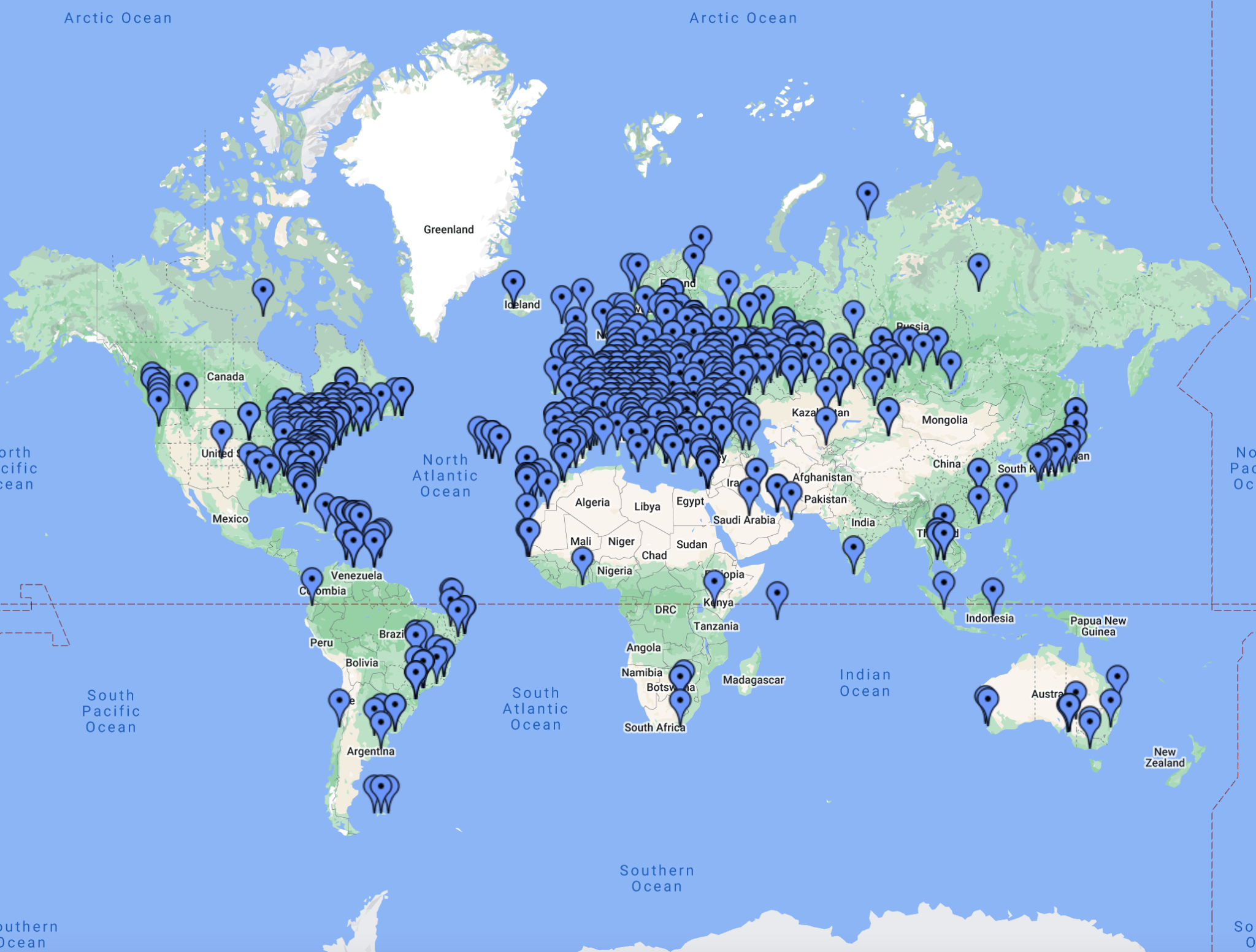
Map showing all M0AWS FT4/8 contacts

I’ve had a few messages of late asking how I generate my WSJT-X log web pages for my website. The answer is pretty simple, I use a little BASH script that I started writing some time back and have gradually improved over the last few months.

If you have a PC running Linux or a RaspberryPi running any of the normal Debian/Ubuntu/Redhat/Fedora based Linux distro’s that are available today then, this script should work just fine.

I originally wrote this program using Python but, a friend of mine bet me that I couldn’t write it in BASH and so, I took up the challenge and this is the result. It’s pretty simple and uses all the normal UNIX command line goodies like grep, sed and awk.

The script also uses WWL to calculate the distance between two Maidenhead locator grid squares and so it’s important to have it installed before running the script. (The script checks for it at runtime and will exit if it is not installed!). You can install WWL using your package manager on your Linux distro or from the command line directly. Details are in the READ-ME.txt file.

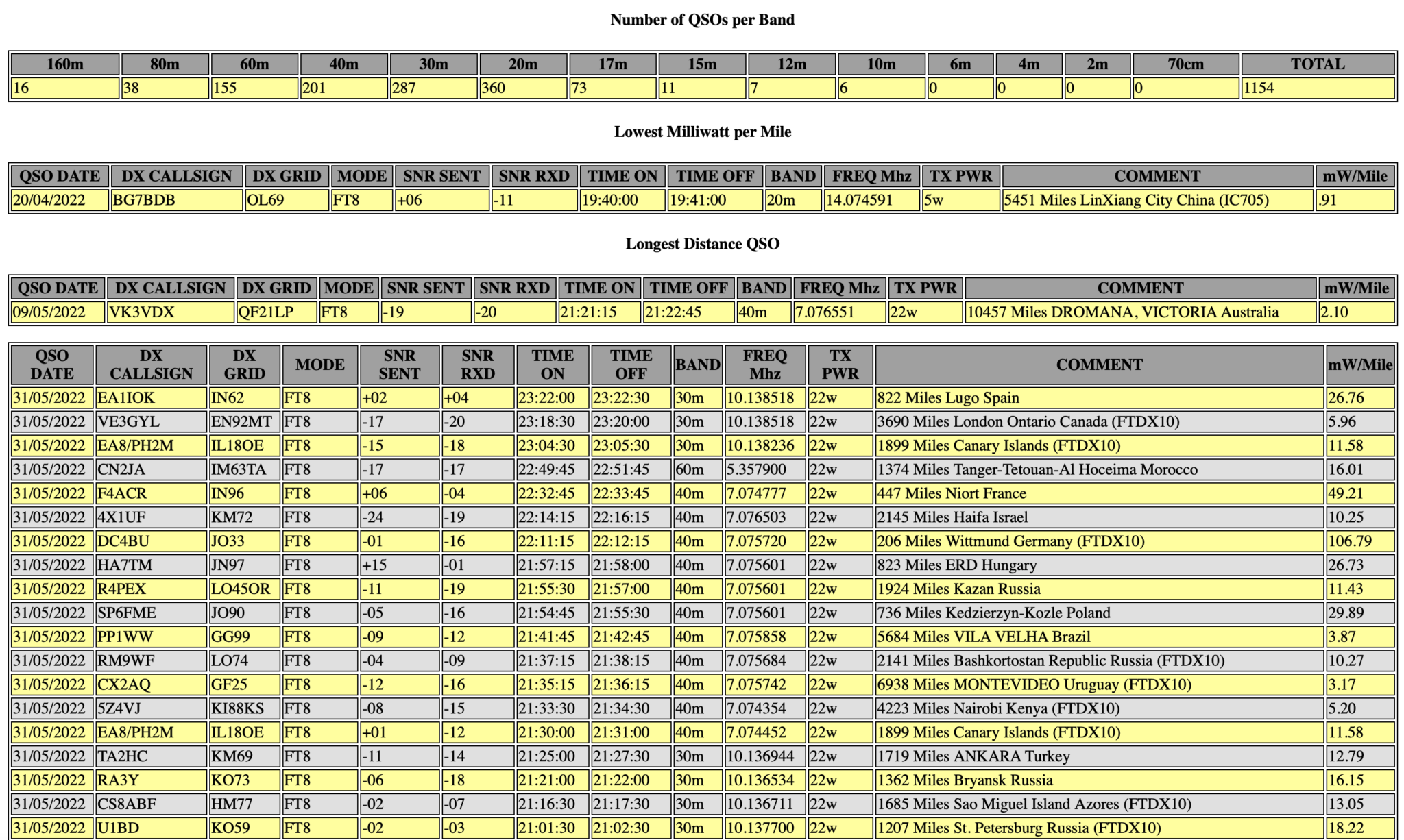
Screen grab from my M0AWS WSJT-X Log web page

It’s important that you READ the READ-ME.txt included in the zip file before trying to run any of the scripts included as it details the variables that you need to enter values for to make the script run on your PC/Server. (Example entries are in place as supplied).

The variables are mainly just paths to files on your system and whether you want distances calculated in miles or kilometres. Other than that there’s nothing else required for it to run.

I’ve also included details on how to run the script automatically from a crontab so that your webpage can be updated automatically every few minutes/hours etc.

The script also includes code to add a PNG map file into the generated webpage so that there is a graphical representation of all your QSOs. The map isn’t generated by the script (something I need to add in the coming few months) so you’ll need to generate it yourself and then add it to the website either via the crontab script included in the zip file or manually.

I use the QSOMap website to generate my map image files and then have them uploaded to my web server via the crontab script.

The script processes 100 entries per second on my web server (Headless virtual machine running Ubuntu Server 64bit Edition) and so should be pretty fast on most PCs. It will run somewhat slower on a RaspberryPi so be patient!

You can download the script and associated information using the button below.


If you do use my script please send me a link to your website so that I can take a look at your log file.

More soon …

Convert your RUMLogng radio logs to HTML

I’ve started using RUMLogng for logging on my MacBook Pro as it seems to be the most common logbook to use on the Apple Mac platform. I must admit that I’m not sure if I’ll carry on using it going forward as I’m not overly enamoured by it but, for the time being it’s all I have.

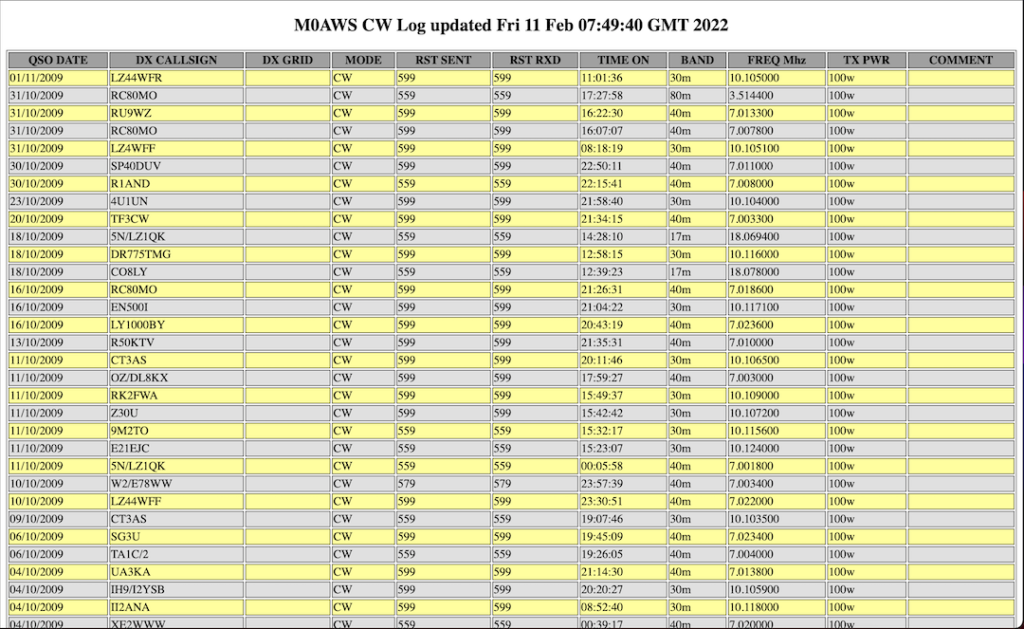
To get my logs on the blog I’ve written a small BASH shell script that reads the exported ADIF file from RUMLogng and creates a log in HTML format for each different mode.

You can see the output of the BASH script by selecting a log from the Logs menu at the top of this page.

If you want to be able to add your log to your own website then I’ve made the script available for download below.

Currently I’ve only tested the script with the few different modes that I have log entries for but, it should work for all modes. If you find any issues please contact me with all the details and I’ll look into resolving any problems.

As always, if you use my code to generate webpages on your website please consider leaving the footer in place so I get some credit, thanks!