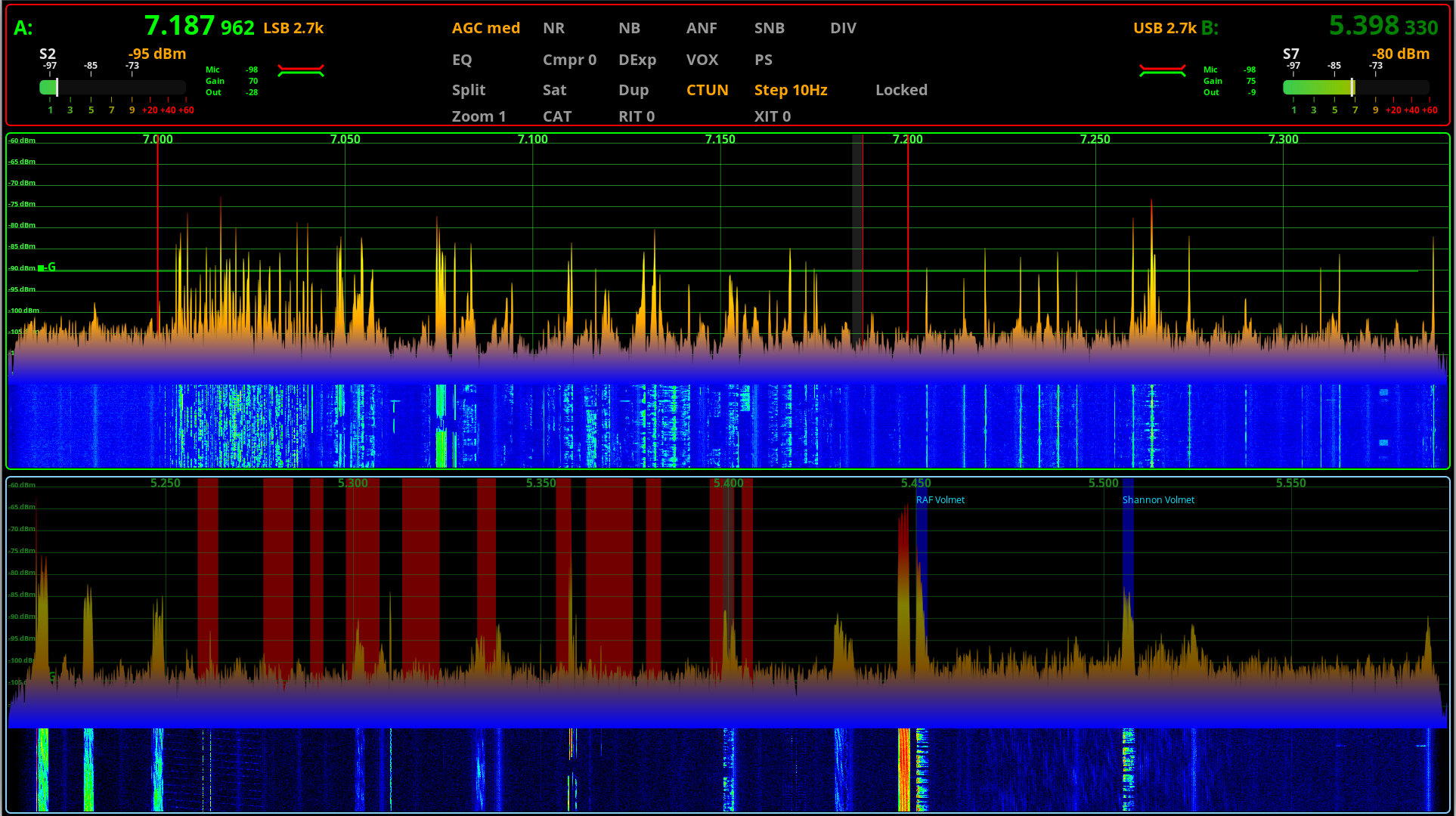

piText – SDR Waterfall Messaging App

piText - Send short messages via the waterfall
piText – Send short messages via the waterfall

piText is a fun little app that I put together as an exercise to learn how to use the Transceiver Control Interface (TCI) capability in piHPSDR-Improved.

piText lets you type a short message and “write” it into the waterfall of anyone watching your signal.

It converts the text to audio whose spectrogram (frequency across, time down) spells out the message, and passes that audio to piHPSDR-Improved over the TCI WebSocket protocol. piHPSDR transmits it like any other SSB audio.

Written in Python it runs on any Linux computer but, is squarely aimed at Debian based distro’s like Ubuntu/Kubuntu/Linuxmint/RaspberryPi OS etc.

True to our promise, piText comes with its own GUI installer, just like all our Pi series of apps, making it easy to install and run on any Linux computer without the hassle of having to manually install packages and compile code.
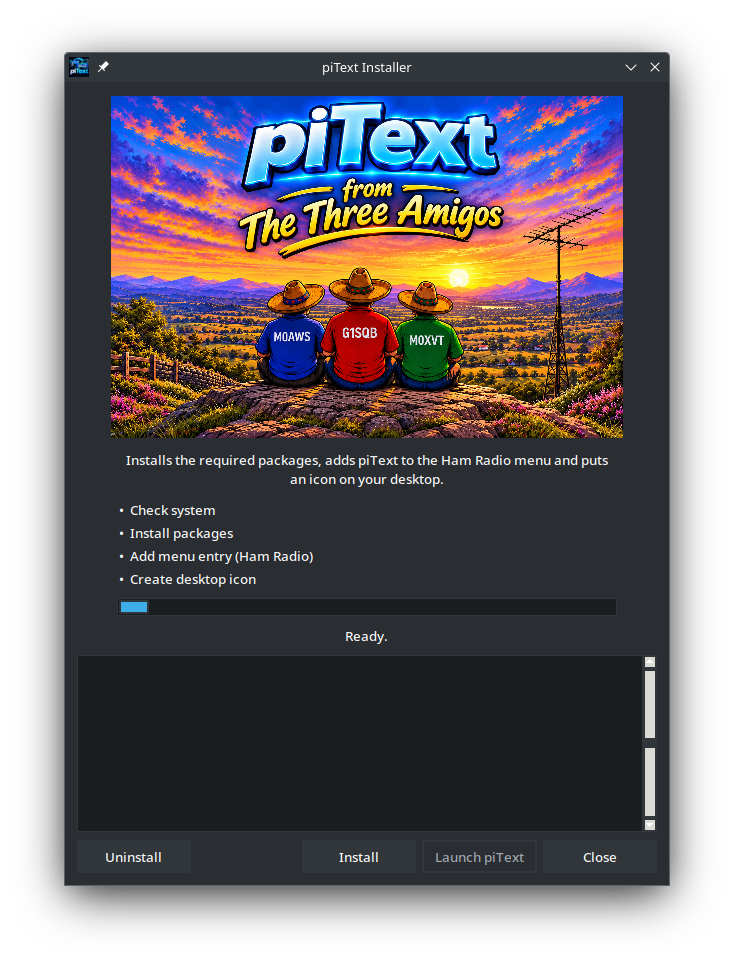
piText - GUI Installer
piText – GUI Installer

piText was never intended for release into the wild as it was just a project for me to learn about the piHPSDR-Improved TCI but, we decided to share it with the HAM community as it has a number of use cases that others may find useful or fun.

This of course means it’s been through The Three Amigos testing phase during the development cycle so, you can rest assured it’ll work out the box. We’ve tested it in our shacks so you can just install it and have fun.
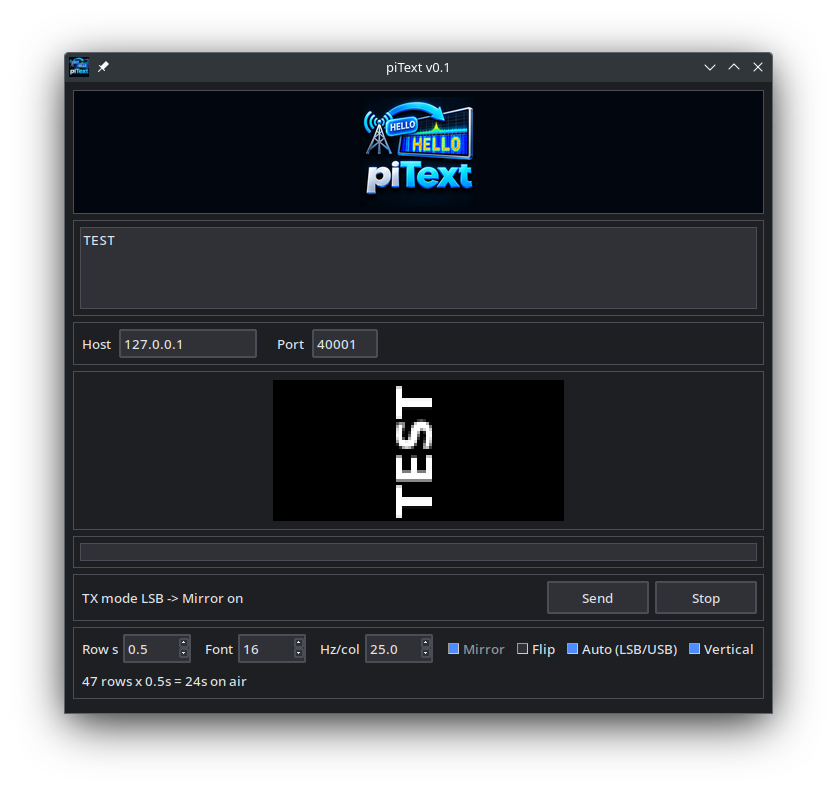
piText Main Window
piText Main Window

piText has a simple user interface, a field to enter your message into and a display field showing what the message will look like in an SDR waterfall.

Settings to connect to piHPSDR-Improved are also user changeable so that the SDR software can run either locally on the same computer as piText or on a remote computer. Just change the host and port settings accordingly.

A full user manual is included in the docs folder detailing how to set the Row S, Font and Hz/Col to get the best results. The manual also goes into the technical detail of how the messages are generated for those that are interested in what’s under the hood.

Like all our apps, just download the zip file, unzip it into a directory of your choice and double click the installer. You’ll be ready to go in no time at all.


We’re actively developing new apps for piHPSDR-Improved that will bring enhanced functionality to the HPSDR platform for the Linux user.

As always, thanks to Steve (M0XVT) and Alan (G1SQB) for help in putting this app together and for all their hard work testing and debugging it. Without them I’d still be searching for bugs!

More soon …
piSync v1.1 Released: Two Way Sync and Named WebSDRs

Steve (M0XVT), Alan (G1SQB) and Mike (M0AWS) are pleased to announce the release of piSync v1.1.

piSync Logo
piSync Logo


piSync keeps a KiwiSDR or PA3FWM WebSDR receiver tuned to the frequency, mode and band of your piHPSDR powered SDR transceiver or any radio supported by FLRig, the same as winSync does on Windows.

Version 1.1 is now released and brings a couple of important updates since v0.9.

piSync v1.1 has now gained a way to steer your radio from the WebSDR receiver, a friendlier drop down receiver list, and a detailed user manual.

Two Way Sync


Until now piSync only worked in one direction: radio to WebSDR receiver. v1.1 adds an optional Two Way Sync checkbox on the control page. When it is ticked, a frequency or mode change you make in the KiwiSDR or WebSDR page is sent back to the radio: to piHPSDR over CAT, or to FLRig over XML-RPC. This makes it easy to click on a signal in the WebSDR waterfall and have your radio follow.

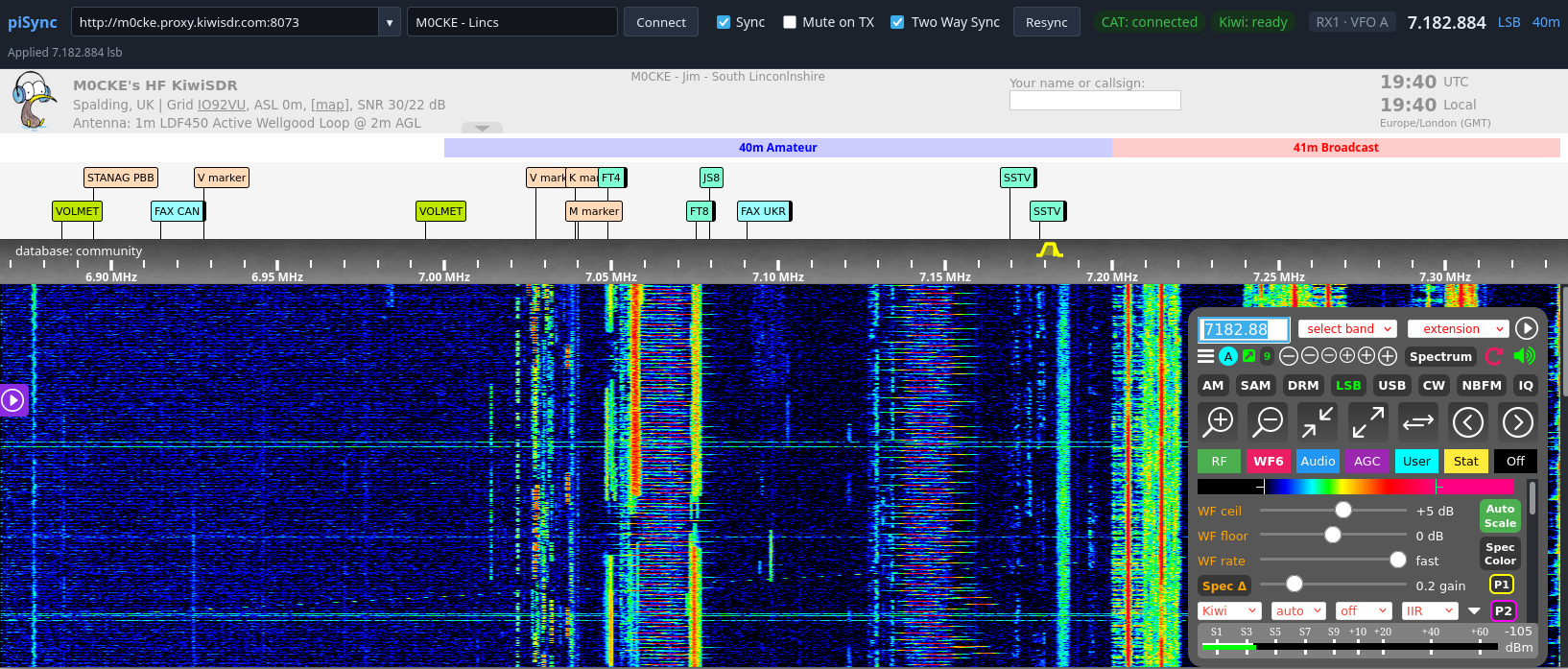
piSync v1.1 with Two Way Sync


The feature is deliberately cautious:

  • It is off by default.
  • Changes are debounced and the last change wins, so dragging across the band does not flood the radio.
  • piSync recognises the echo of its own changes and does not re-apply them, so the two sides cannot fight each other.
  • Nothing is sent while the radio is transmitting.
  • piSync may only write frequency and mode. Commands that key the transmitter or switch receivers (TX, RX, ZZTX, FR, FT, and PTT in FLRig) remain forbidden and are blocked.


Named WebSDRs


The WebSDR receiver drop-down used to show only URLs. v1.1 adds a “Description” box next to the URL field (See screenshot above). The drop-down now shows your own name for each WebSDR receiver with the URL underneath. A pencil button lets you edit the name later. Names are stored with the list in ~/.config/piSync/urls.json; lists saved by older versions of piSync still load as before.


A Detailed User Manual


There is now a User Manual in the docs folder. It covers installation (graphical installer and terminal based setup.sh), the launcher, the control page, using KiwiSDR and WebSDR receivers, Two Way Sync, a configuration reference and troubleshooting. We believe a picture is worth a million words and so we’ve included screenshots in the manual to help remove any confusion as to how piSync works.

Summary

piSync v1.1 brings Two Way Sync, WebSDR Receiver Names and a new, Detailed User Manual which round off nicely our latest release of this extremely popular little app that adds some great functionality to piHPSDR-Improved and FLRig for amateur radio operators around the world.


More soon …

piLog v1.0 in Test

Steve (M0XVT), Alan (G1SQB) and I are pleased to announce that piLog v1.0 Beta 1 is now in test, and we expect a release version to be available soon.

piLog is a logging program for the amateur radio operator, designed to sit alongside piHPSDR-Improved and piSync.

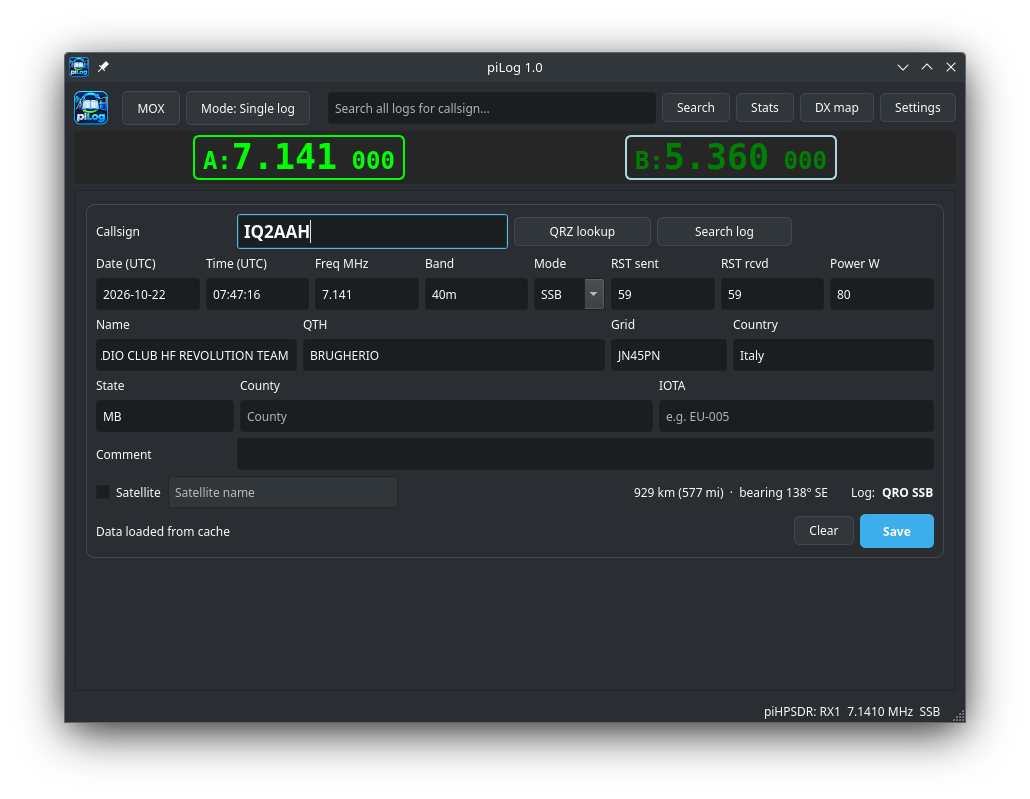
piLog v1.0 Beta 1 logical user interface

FLRig is also supported so, whether you’re using a modern SDR with piHPSDR-Improved or a conventional transceiver that you’ve had for years, you can still use piLog for all your logging needs.

piLog can follow your radio’s frequency, operating mode, active VFO and PTT status directly from the radio or piHPSDR-Improved so, you don’t have to key the information in manually, making log entries quick and easy

Type a callsign and piLog looks it up on QRZ.com, filling in name, QTH, grid square, country and more. It also shows the distance and beam heading to the DX station.

Contacts are saved in standard ADIF files and uploaded automatically to your QRZ Logbook and eQSL. If you’re offline, the uploads are queued and retried later.

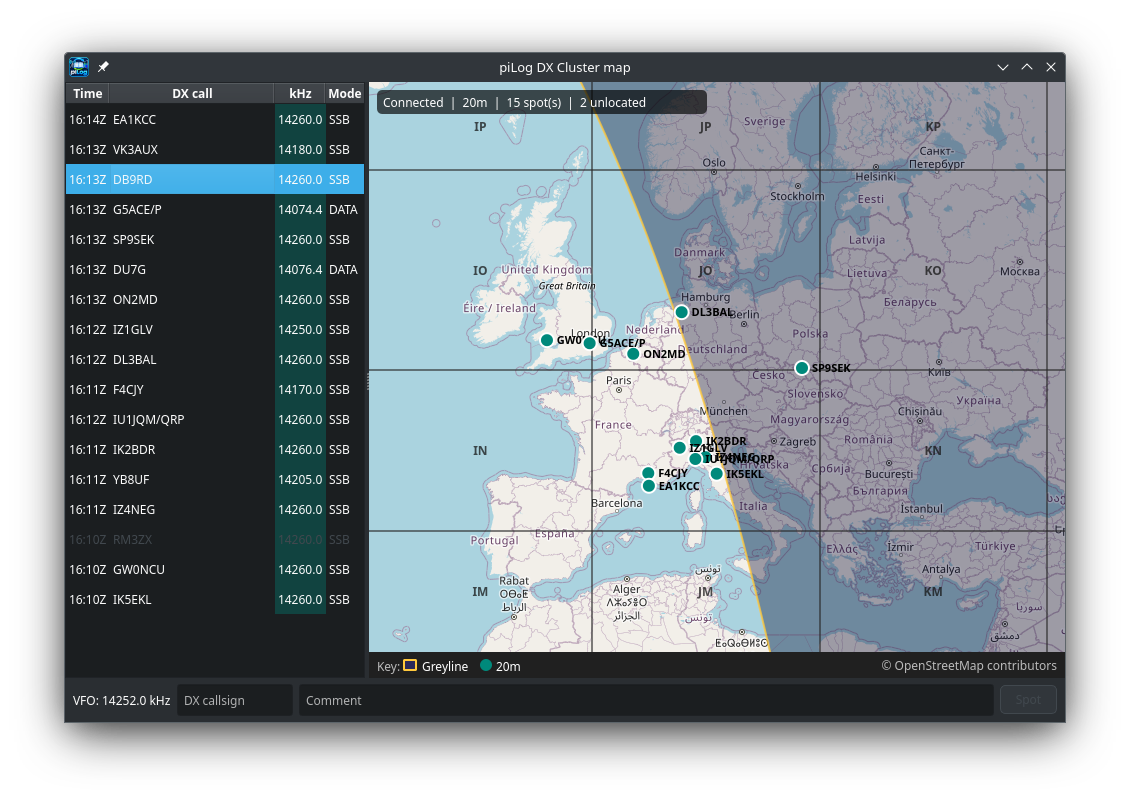
piLog DX Spots Map with fast QSY via a simple click

Beyond the basics, piLog suits both casual and busy operating:

Single and Net modes.
Log one contact at a time, or keep several log entries open at once for nets and pile-ups. We believe this is a first in amateur radio logging and a feature that will be used by many people, especially if you regularly take part in on air nets like we do.

Automatic log sorting.
QSOs are filed by mode and by QRP/QRO power category, with a separate file for satellite contacts. There is of course the option to store all QSOs in a single logfile.

DX Cluster map.
Live spots appear on a zoomable map, with greyline and Maidenhead grid overlays. Click a spot in the list or a map pin to load the callsign into piLog and tune your radio to the DX station in an instant.
Want to post a spot on the DX Cluster? It’s as simple as entering a Callsign, comment and clicking the “Spot” button.

Statistics and log map.
See your QSOs by mode, band and power, along with countries worked, distances covered and a map of every grid square contacted.

Search.
Look up previous contacts with a station quickly and easily.

piLog is designed to run on RaspberryPi SBCs and Intel/AMD PCs running most Debian/Ubuntu based operating systems.

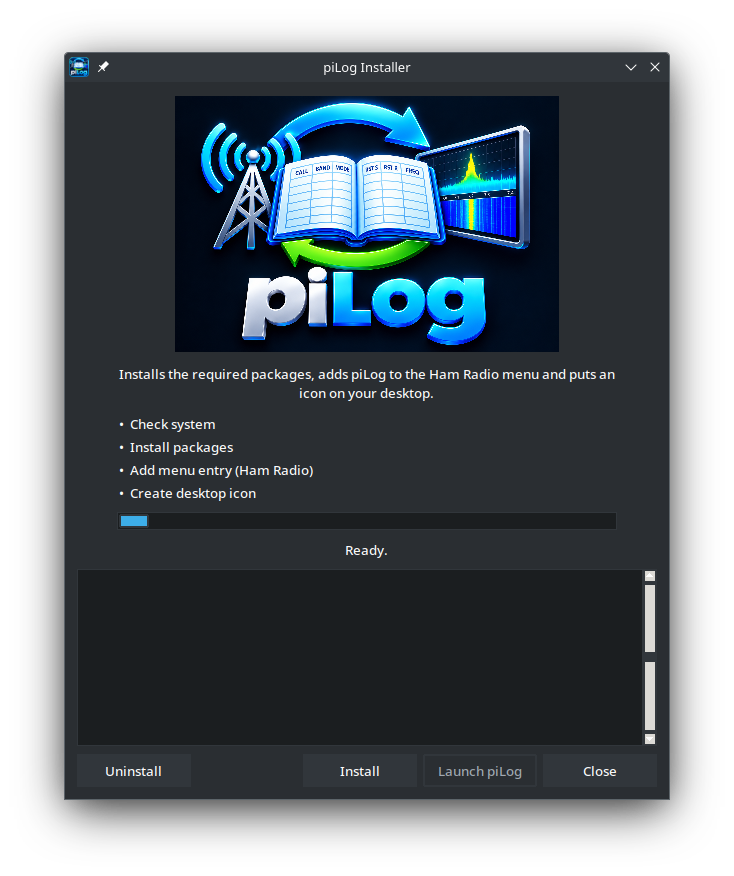
Of course we’ve created an easy to use installer for piLog, taking away all the frustrations of trying to install software from sites like github and the like. A simple double click and it’s installed, ready for use.

piLog Installer - Double click and piLog is ready to use in seconds.

The aim is to keep the logger out of your way so, you spend less time typing and more time on the air, afterall that is what radio is all about.

Keep an eye here as we’ll hopefully be releasing piLog very soon.

WinSync – By Mark, G1INU

In the last week or so The Three Amigos released piSync for Linux, a neat little utility that enables Amateur Radio operators to sync their piHPSDR powered SDR or physical radio (via FLRig), to a WebSDR receiver on the internet anywhere in the world.

This has proven to be very popular in the HAM community and has been downloaded many times already.

Mark, G1INU has now taken the opensource code from piSync and ported it over to the Windows platform and today released it on github.

winSync from Mark, G1INU - A Windows port of piSync
winSync from Mark, G1INU – A Windows port of piSync

winSync is designed to work with Thetis, probably the most popular SDR software in the Windows community and works with both Anan SDR transceivers and the now famous Hermes Lite 2.

We’re really pleased that Mark has created winSync as none of us are Windows programmers and so, have no idea about creating Windows apps.

You can download winSync directly to your desktop in an easy to use ZIP format by using this link. Unzip it, install it and be connected to the world of WebSDRs in just a few clicks.

We’re looking forward to seeing future enhancements to winSync, making it more widely available to users of other radios too.

More soon …

piHPSDR-Improved v2.451 Released – More Features, More Flexibility!

The Three Amigos are pleased to announce piHPSDR-Improved v2.451, bringing another round of enhancements to our evolving Linux SDR application.

Our aim remains simple: to build on the excellent original piHPSDR software and make it even more capable, intuitive and enjoyable to use.

What’s New?

A Better Large-Screen Experience

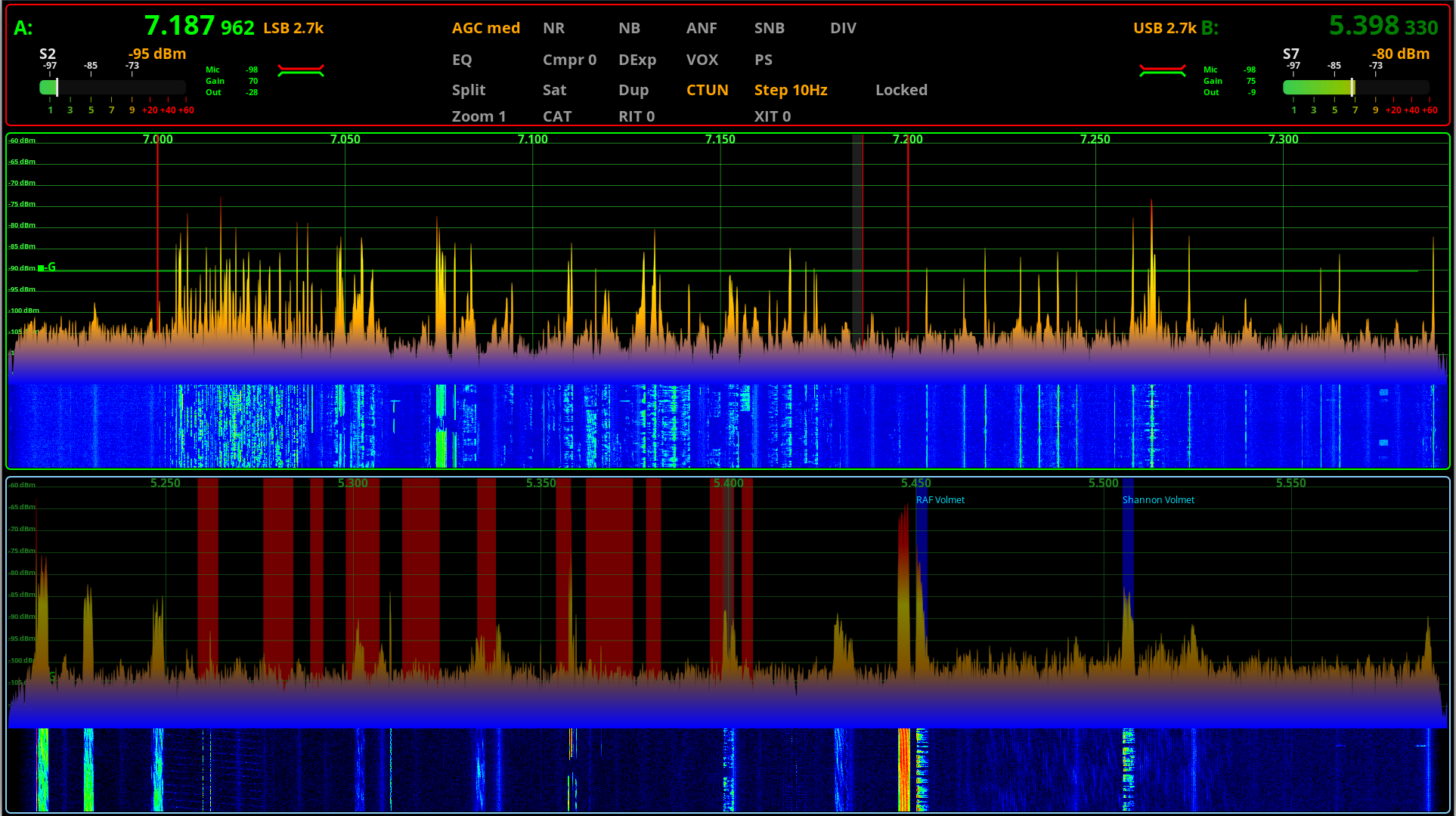
We’ve continued refining the VFO for LARGE Screens layout, with improved dual-VFO presentation, independent RX1 and RX2 S-meters, clearer filter displays and a more flexible floating toolbar. The result is a cleaner, more informative layout that makes better use of available screen space.

Improved Passband Tuning

The Var1/Var2 filter controls have been renamed PBT1/PBT2 and now behave like passband tuning on Icom radios. Adjust filter width and shift to fine-tune the received audio, with consistent operation across modes.

A More Informative Toolbar

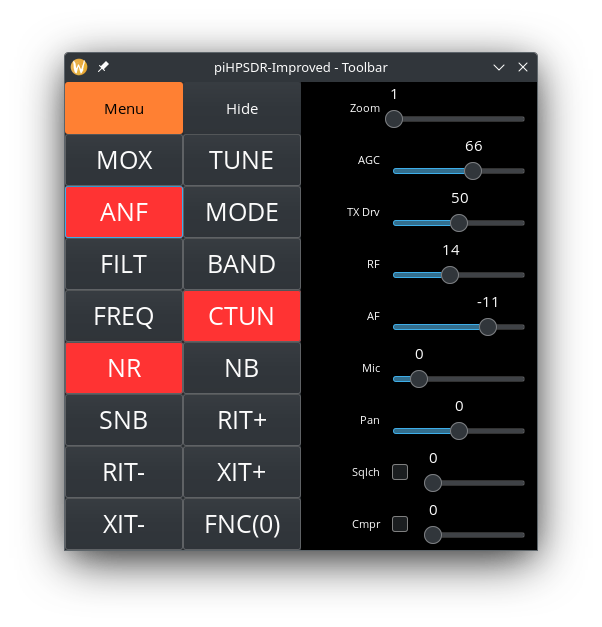
Toolbar buttons now provide clear visual feedback when functions such as Split, Duplex, SAT, noise reduction and transmission are active. The indicators follow changes made through CAT, MIDI, GPIO and keyboard controls too.

piHPSDR-Improved v2.451 - Floating Toobar
piHPSDR-Improved v2.451 – Floating Toobar

Smarter Memories and Waterfall Controls

Memory slots now retain Split and Duplex settings, while RX1 and RX2 waterfall levels are remembered independently for each band. The 60-metre bandplan has also been refined to accommodate receive-only Volmet channels and labels without permitting transmission out of band.

Installation and Usability Improvements

We’ve fixed installation issues involving directory paths containing spaces, improved the floating toolbar and menu positioning, and increased the rigctl TCP/IP CAT server capacity to six simultaneous connections.

As always, we’ve also included smaller fixes and refinements to improve day-to-day operation. (Full details in the CHANGELOG)

Tested in Our Shacks, Ready for Yours!

Development and testing have covered Raspberry Pi OS, Kubuntu (KDE Plasma), LinuxMint and Debian 12/13 across both Intel/AMD systems and Raspberry Pi hardware. We’ve been working hard to make piHPSDR-Improved a practical and accessible choice for Linux-based amateur radio stations.

piHPSDR-Improved v2.451 - New Big Screen Display with dual S Meters
piHPSDR-Improved v2.451 – New Big Screen Display with dual S Meters

Get piHPSDR-Improved

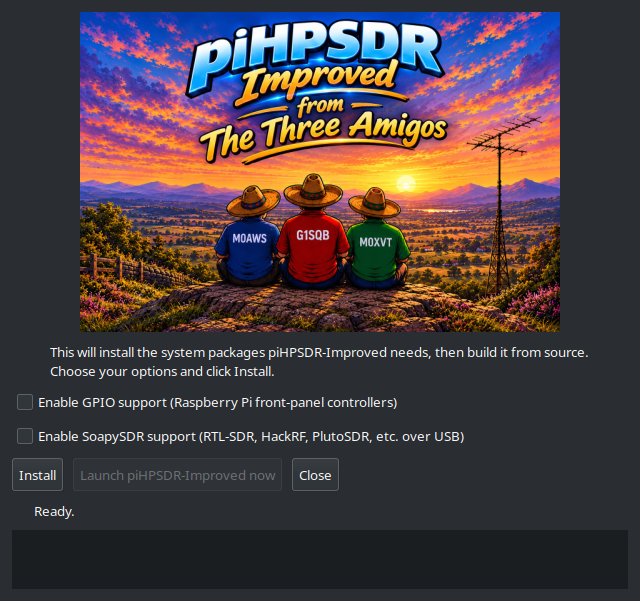
If you’re already using piHPSDR-Improved, this release brings plenty of reasons to update. If you’re discovering it for the first time, our GUI installer makes getting started with Linux SDR software easier.

piHPSDR-Improved GUI Installer

We’re three radio amateurs developing and testing the software because we believe there’s still plenty of potential to unlock in piHPSDR.


More soon …