piSync v1.1 Released: Two Way Sync and Named WebSDRs

Steve (M0XVT), Alan (G1SQB) and Mike (M0AWS) are pleased to announce the release of piSync v1.1.

piSync Logo
piSync Logo


piSync keeps a KiwiSDR or PA3FWM WebSDR receiver tuned to the frequency, mode and band of your piHPSDR powered SDR transceiver or any radio supported by FLRig, the same as winSync does on Windows.

Version 1.1 is now released and brings a couple of important updates since v0.9.

piSync v1.1 has now gained a way to steer your radio from the WebSDR receiver, a friendlier drop down receiver list, and a detailed user manual.

Two Way Sync


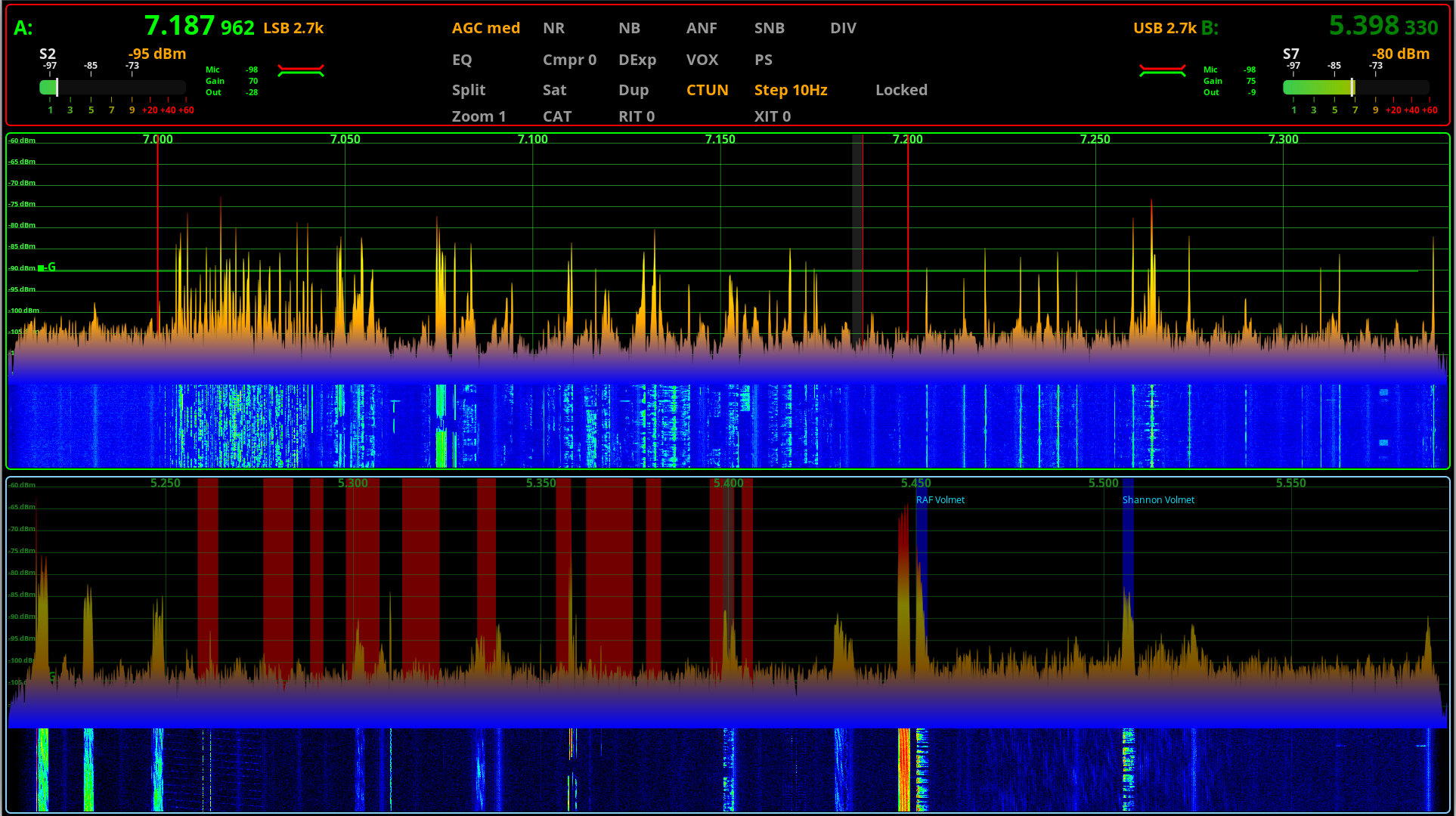
Until now piSync only worked in one direction: radio to WebSDR receiver. v1.1 adds an optional Two Way Sync checkbox on the control page. When it is ticked, a frequency or mode change you make in the KiwiSDR or WebSDR page is sent back to the radio: to piHPSDR over CAT, or to FLRig over XML-RPC. This makes it easy to click on a signal in the WebSDR waterfall and have your radio follow.
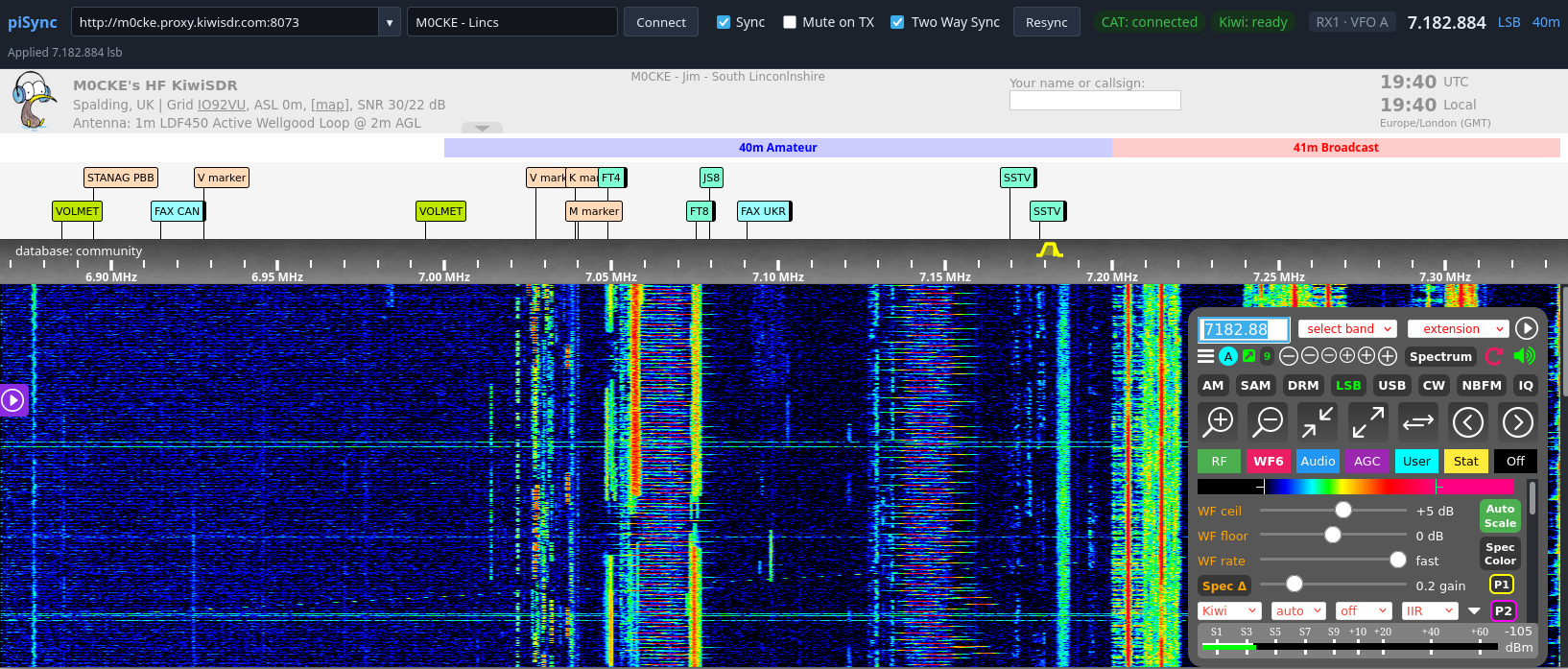
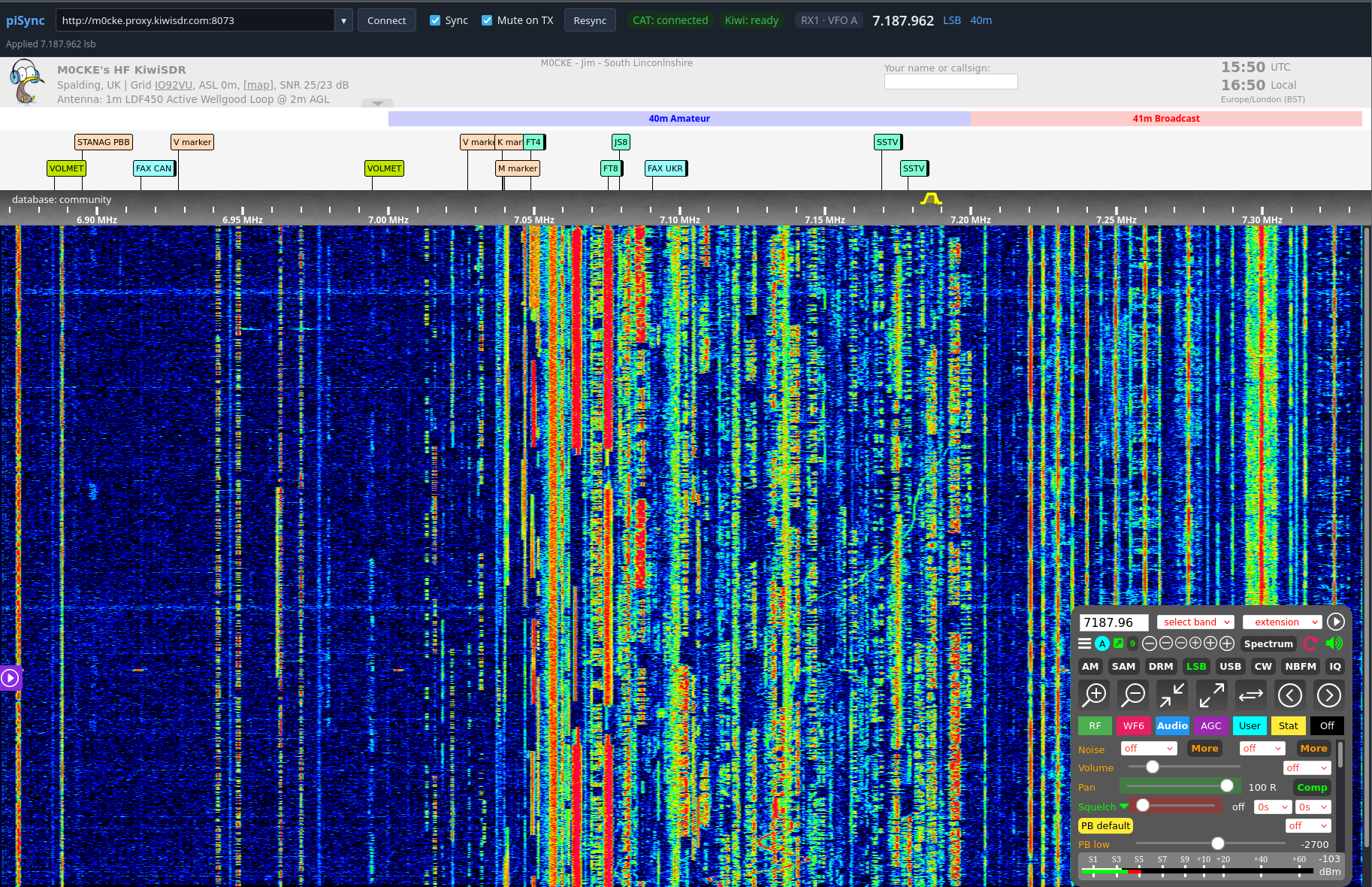
piSync v1.1 with Two Way Sync


The feature is deliberately cautious:

  • It is off by default.
  • Changes are debounced and the last change wins, so dragging across the band does not flood the radio.
  • piSync recognises the echo of its own changes and does not re-apply them, so the two sides cannot fight each other.
  • Nothing is sent while the radio is transmitting.
  • piSync may only write frequency and mode. Commands that key the transmitter or switch receivers (TX, RX, ZZTX, FR, FT, and PTT in FLRig) remain forbidden and are blocked.


Named WebSDRs


The WebSDR receiver drop-down used to show only URLs. v1.1 adds a “Description” box next to the URL field (See screenshot above). The drop-down now shows your own name for each WebSDR receiver with the URL underneath. A pencil button lets you edit the name later. Names are stored with the list in ~/.config/piSync/urls.json; lists saved by older versions of piSync still load as before.


A Detailed User Manual


There is now a User Manual in the docs folder. It covers installation (graphical installer and terminal based setup.sh), the launcher, the control page, using KiwiSDR and WebSDR receivers, Two Way Sync, a configuration reference and troubleshooting. We believe a picture is worth a million words and so we’ve included screenshots in the manual to help remove any confusion as to how piSync works.

Summary

piSync v1.1 brings Two Way Sync, WebSDR Receiver Names and a new, Detailed User Manual which round off nicely our latest release of this extremely popular little app that adds some great functionality to piHPSDR-Improved and FLRig for amateur radio operators around the world.


More soon …

WinSync – By Mark, G1INU

In the last week or so The Three Amigos released piSync for Linux, a neat little utility that enables Amateur Radio operators to sync their piHPSDR powered SDR or physical radio (via FLRig), to a WebSDR receiver on the internet anywhere in the world.

This has proven to be very popular in the HAM community and has been downloaded many times already.

Mark, G1INU has now taken the opensource code from piSync and ported it over to the Windows platform and today released it on github.

winSync from Mark, G1INU - A Windows port of piSync
winSync from Mark, G1INU – A Windows port of piSync

winSync is designed to work with Thetis, probably the most popular SDR software in the Windows community and works with both Anan SDR transceivers and the now famous Hermes Lite 2.

We’re really pleased that Mark has created winSync as none of us are Windows programmers and so, have no idea about creating Windows apps.

You can download winSync directly to your desktop in an easy to use ZIP format by using this link. Unzip it, install it and be connected to the world of WebSDRs in just a few clicks.

We’re looking forward to seeing future enhancements to winSync, making it more widely available to users of other radios too.

More soon …

piSync v0.9 Released – Bringing Synchronised WebSDR Access to More Radios

Steve (M0XVT), Alan (G1SQB) and I are pleased to announce piSync v0.9, bringing synchronised WebSDR access to Linux users running piHPSDR-Improved and now, a much wider range of transceivers through FLRig.

Windows users have enjoyed this kind of functionality through applications such as CatSync for some time. To the best of our knowledge, piSync may be the first Linux application to offer an equivalent solution for both piHPSDR-Improved and the huge range of transceivers supported by FLRig.

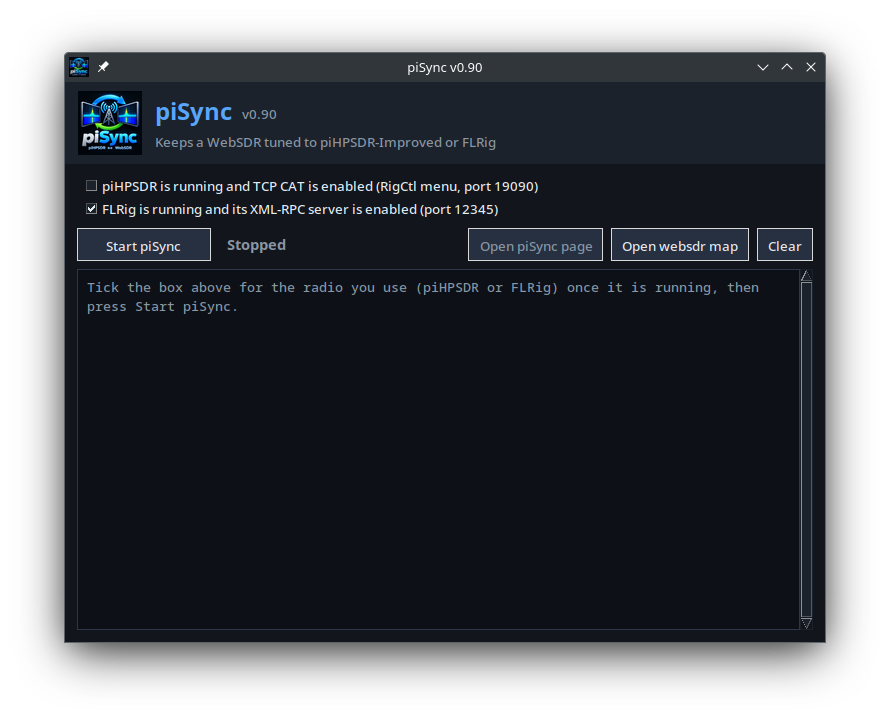
piSync v0.9 with FLRig support

Bringing New Life to Existing Radios

The addition of FLRig support is a significant step forward. piSync can follow your radio’s frequency, operating mode, active VFO and PTT status, allowing a compatible WebSDR receiver to follow you around the bands.

Whether you’re using a modern SDR or a conventional transceiver, piSync opens up new possibilities for exploring propagation and comparing signals received at different locations around the world — without replacing your existing radio.

What’s New in v0.9?

This release also introduces several improvements:

  • Persistent WebSDR list: Your receiver URLs are now saved on your PC and restored after restarting piSync, rather than being stored in your web browser.
  • Improved audio muting: Fixes muted WebSDR audio unexpectedly returning after transmit/receive cycles.
  • WebSDR map: A new launcher button provides quick access to the WebSDR World Map.
piSync v0.9 - Synchronising WebSDR's to your Radio.
piSync v0.9 – Synchronising WebSDR’s to your Radio.

Easy Installation for Linux Users

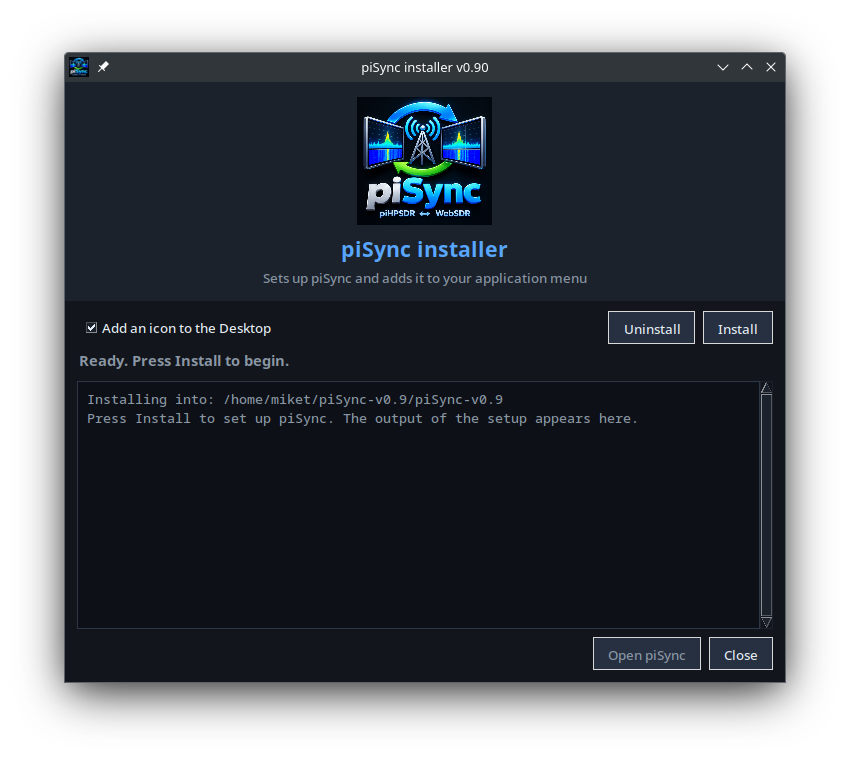
Getting started with piSync is easier than ever, thanks to its new GUI installer. Designed to simplify installation and setup, it makes piSync more accessible to everyone, including amateur radio operators making the move from Windows to Linux.

Alongside the GUI installer developed for piHPSDR-Improved, this is another step towards making Linux a practical and welcoming platform for amateur radio enthusiasts.

piSync GUI Installer - One Double Click and it's ready to use.
piSync GUI Installer – One Double Click and it’s ready to use.

We’ve Kicked the Tyres, So You Can Hit the Airwaves!

piSync has been tested on Raspberry Pi, Kubuntu (KDE Plasma), Linux Mint (Cinnamon), Debian 13 (Trixie) and Ubuntu. While we can’t test every Linux distribution, it should work on most Debian and Ubuntu based systems. We’ve done the testing so you can spend less time setting up and more time enjoying your radio!

Get piSync

If you’re a Linux-based amateur radio operator, whether using piHPSDR-Improved or a transceiver supported by FLRig, piSync is worth a look.

Synchronised WebSDR access, on Linux, using the radio you already own.

UPDATE: PiSync v1.1 has been released, download from this article.


More soon …